Your First 30 Days with Sofie
The teams who get the most from Sofie all start the same way. Here's the playbook.
TransferAI Team9 min read
Adopting AI doesn't happen overnight. In a typical organization, the path forward involves navigating existing workflows, addressing team concerns, and finding entry points that won't disrupt critical operations. It can feel daunting—especially when the stakes are high and the technology feels unfamiliar.
We've onboarded several teams over the past year. CDMOs, biotech companies, A&E firms. And we've noticed something: the teams who see value in days rather than weeks all follow a similar pattern. They start small, build progressively, and let quick wins compound.
Here's exactly what that looks like — but first, one thing worth doing before anything else is to give Sofie a foundation to work with.
Prompt Sofie to interview you, it will ask you about your role, your focus areas, your priorities and retain that context across every conversation going forward. This precision compounds. The more Sofie understands about the work you're doing, the more relevant every output becomes.
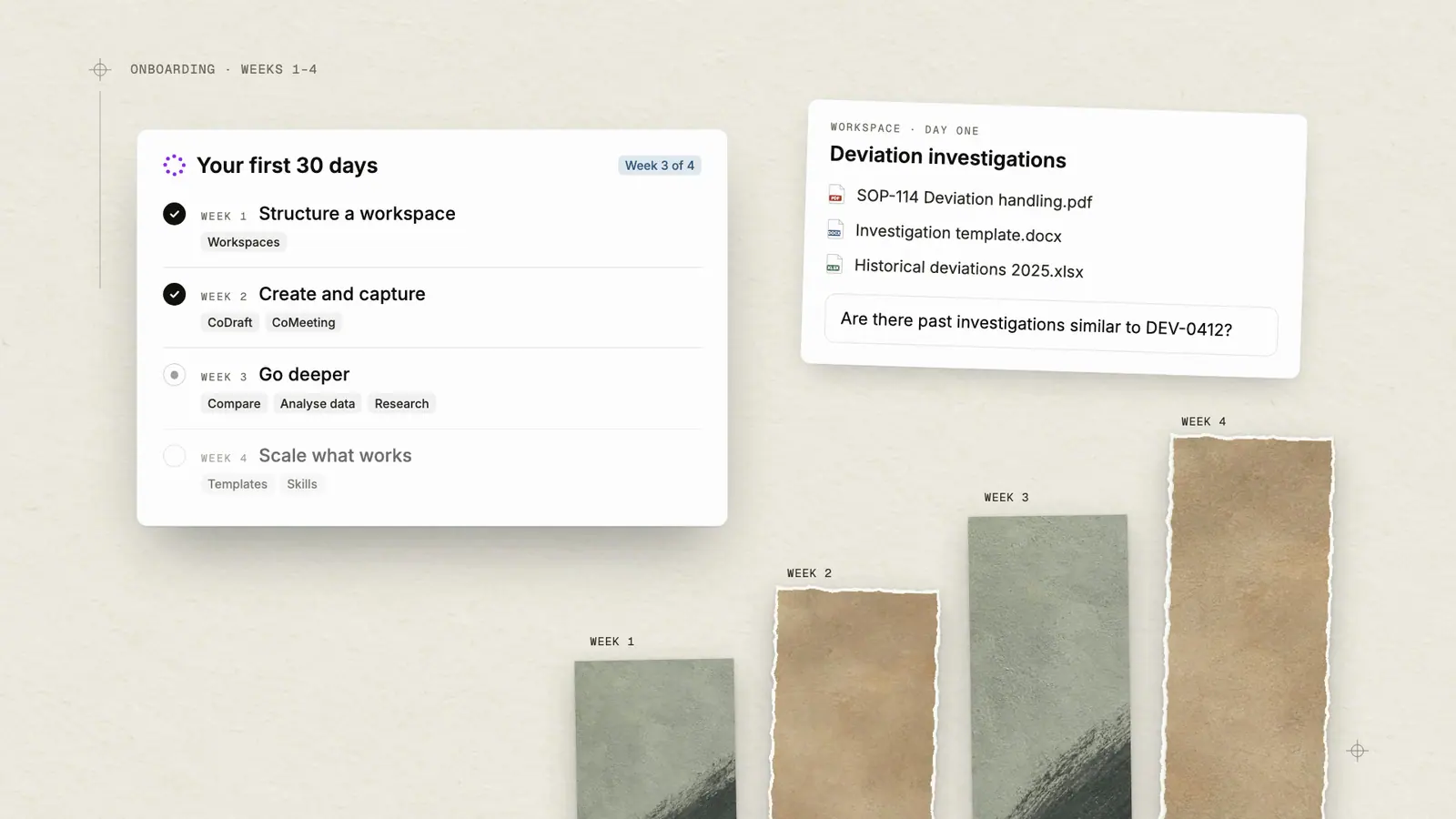
Week 1: Structure Your Workspaces
Focusing on workspaces first centralizes your context so that Sofie has the right information to answer your questions or offer you guidance. This isn’t about building out workspaces to address all your unique needs at once, we recommend a scalable approach where you work through one use case and then build upon that.
Start with one unique use case and build it out. It could be something like cross-referencing SOPs during investigations or maybe it's finding that one specification buried in a regulatory guidance. Whatever it is, build your first workspace around solving it.
Follow these 3 general steps:
- Create the workspace, give it a clear name based on the project or client.
- Upload 5-10 relevant documents from Veeva, Sharepoint, your desktop, emails, screenshots, anything works as long as it’s pertinent to the use case.
- Once your documents have been uploaded, open a new chat from the workspace and start asking questions.
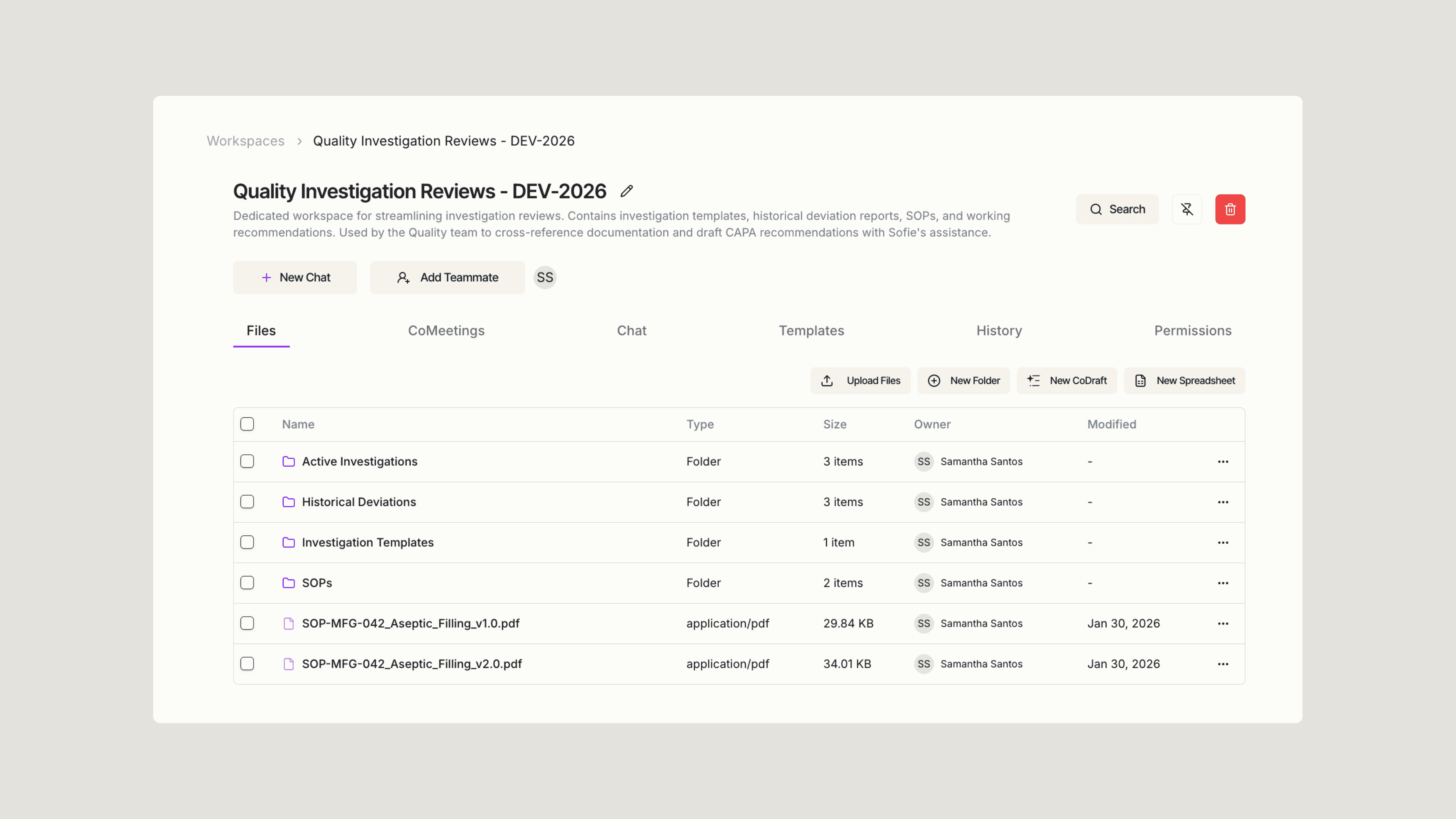
That's your first quick win—and it happens on day one.
Is it really that simple? To answer the question, here’s an overview of how one quality team at a pilot client did exactly this. They needed to streamline investigation reviews, so they created a dedicated workspace with investigation templates, historical deviation reports, and relevant SOPs. Nothing more. That focus is what made Sofie immediately useful. Then they asked Sofie questions like:
- "Are there any past investigations similar to this current deviation?"
- "Identify the top recurring root causes across all investigation reports."
- "Are any CAPAs recurring or potentially ineffective?"
They found an immediate 83% return on time, cutting down a task from over 60 minutes to 10 minutes.
As you start working, Sofie will ask you a few questions about your role, your focus areas, and how you prefer to work. This isn't busywork — it's how Sofie tailors responses to what actually matters to you. A quality lead reviewing deviations gets different context than a process engineer running tech transfer. The more Sofie understands about your work, the more precise and relevant every answer becomes.
Week 2: Create and Capture with CoDraft and CoMeeting
By now, you have built a few workspaces, asked some questions, and done some back-and-forth. Now, week two is about extending that value into two places where time quietly disappears: document creation and meetings.
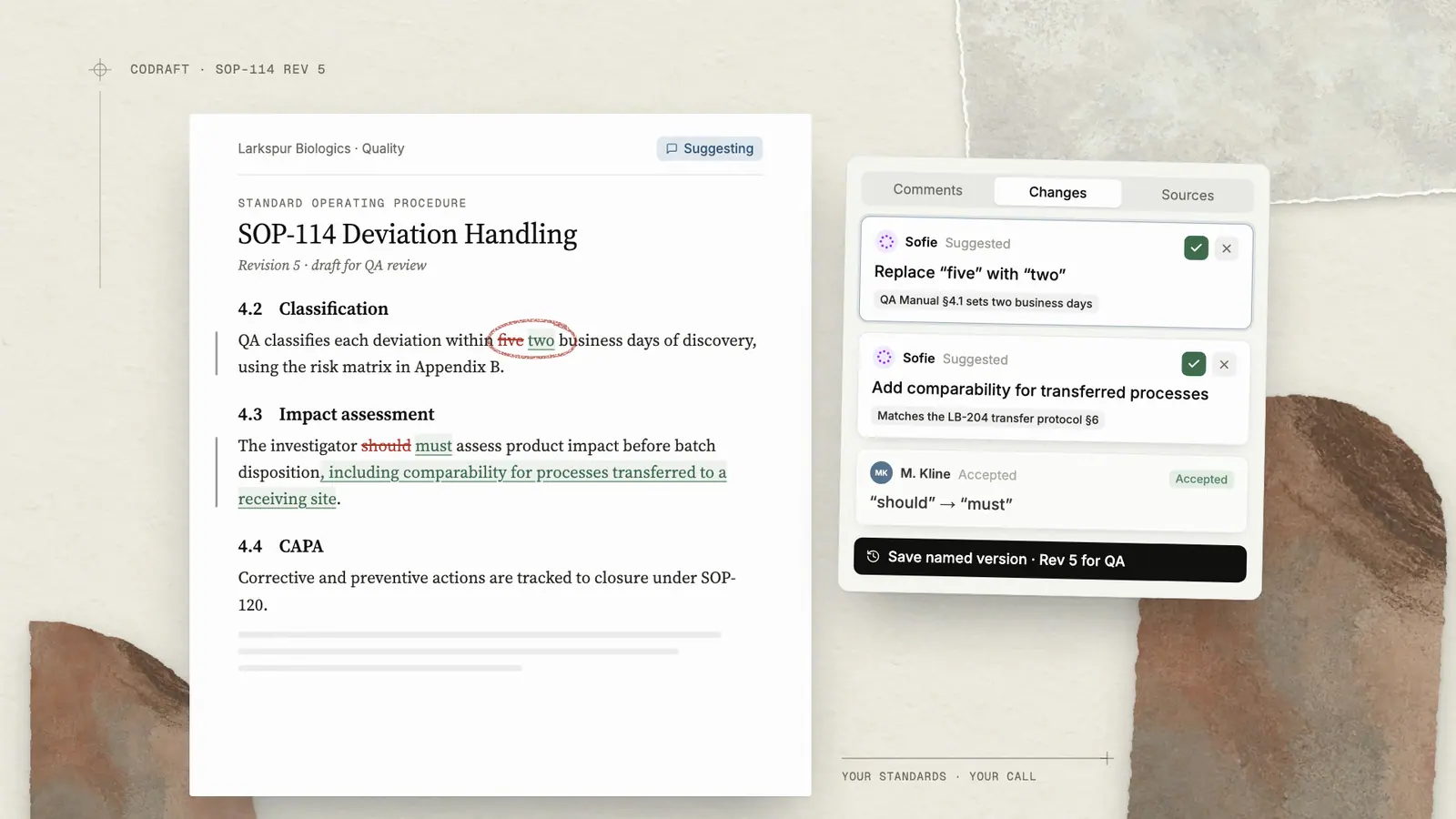
One place to see this value is with CoDraft, our collaborative document editor, where you and Sofie draft together in real-time. CoDraft provides Sofie users with the opportunity to bypass staring at a blank page and allows you to describe what you need so Sofie can give you a working first draft in seconds. You edit, refine, and finalize together—side by side.
Here's how to start:
- Open a new CoDraft from chat by asking Sofie to draft something specific. A deviation summary, a protocol outline, an investigation response—whatever you're working on.
- You can reference your workspace for added context. For example: "Draft a deviation summary based on the investigation templates and historical reports in my workspace “CC127."
- Hit send and give Sofie a few moments to put together your outline or draft. Sofie's draft will appear in the CoDraft editor to the right of your chat.
- Edit in real time. Make changes, ask for revisions, or have Sofie expand specific sections—all within the same session.
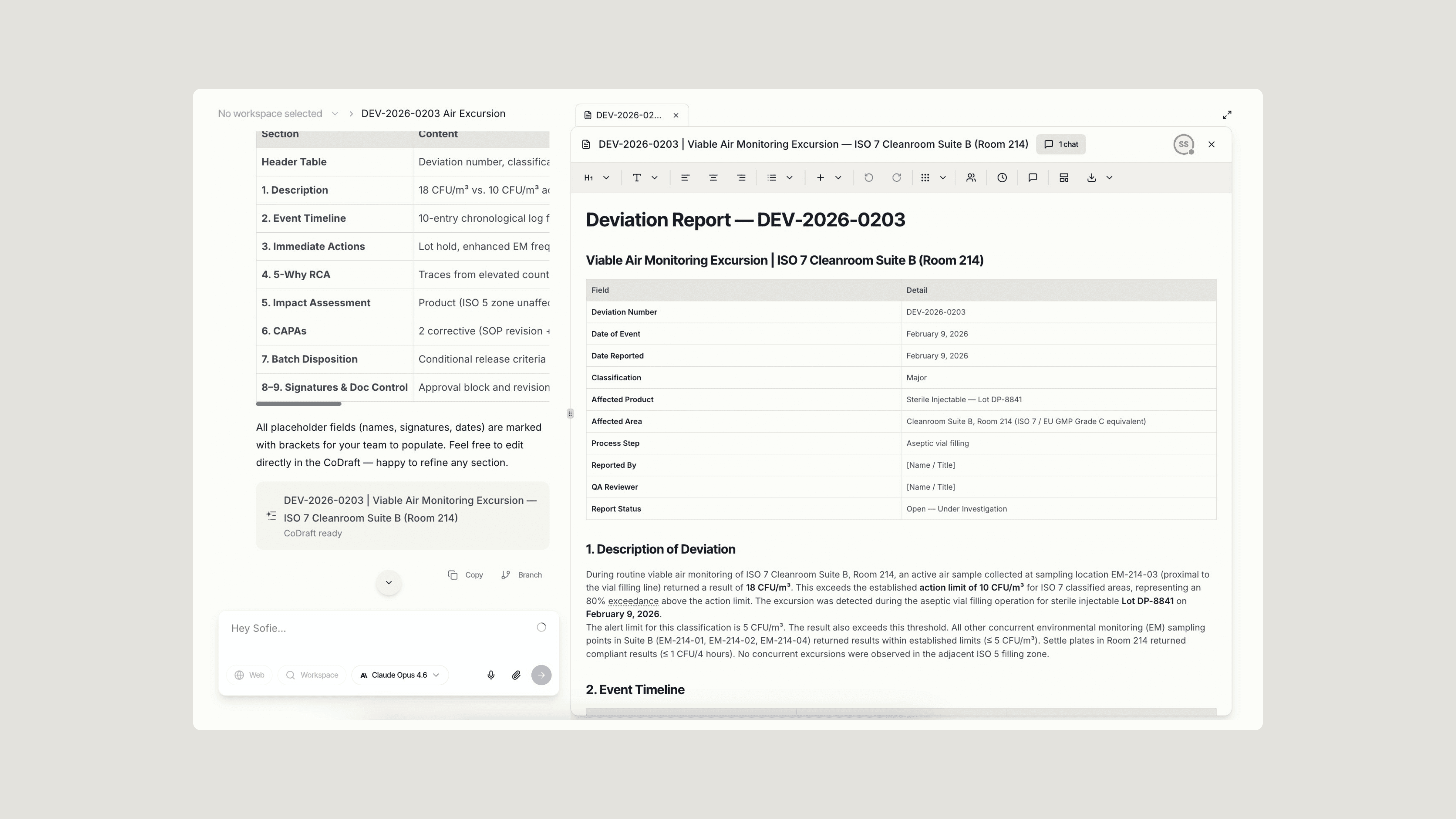
That's your second quick win. One pilot client reported 60% near-perfect drafts in protocol document review—a solid starting point that gave reviewers something real to work with instead of a blank page.
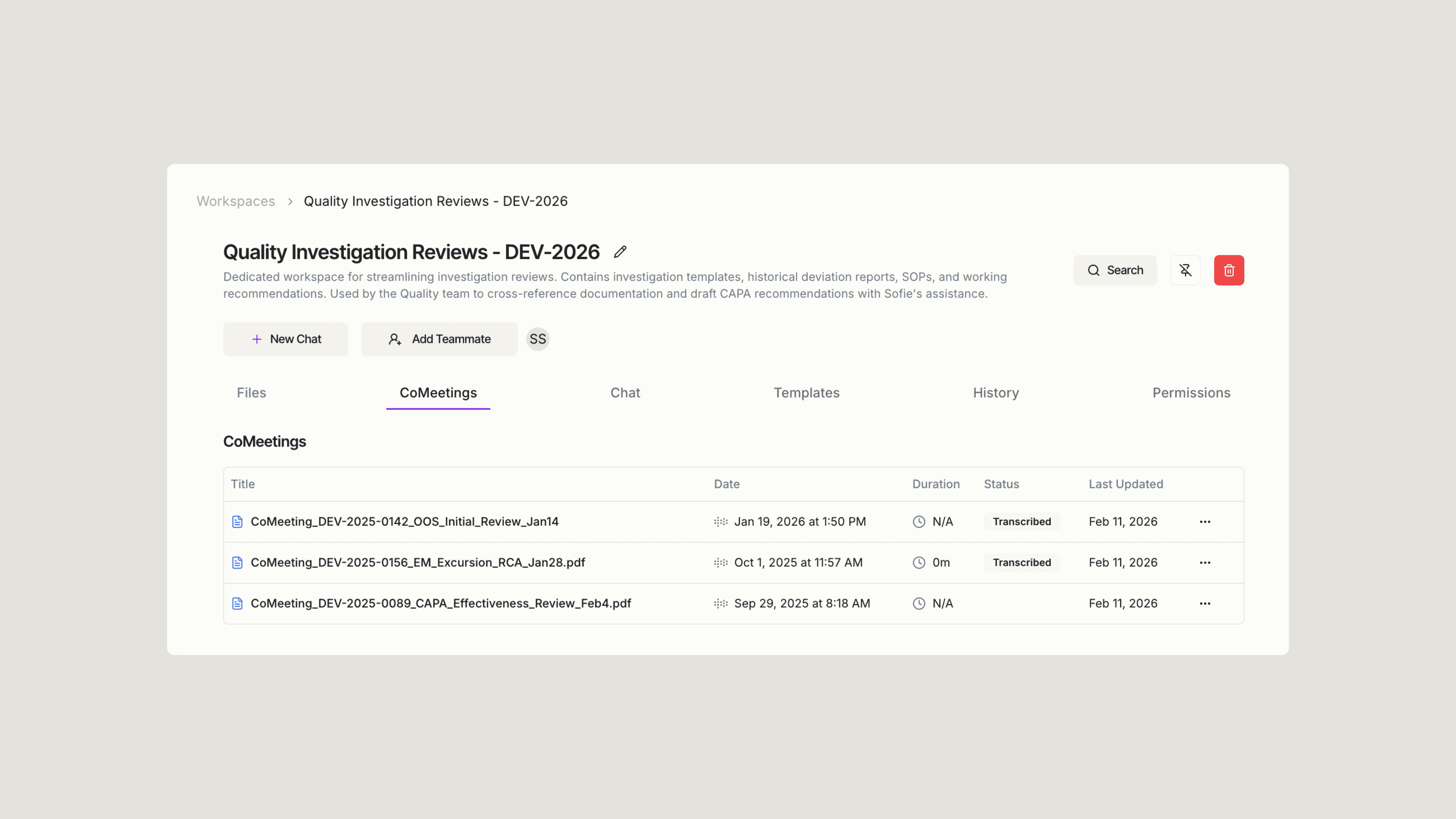
This is also a good week to explore CoMeeting. Incorporating this tool allows Sofie to gather deeper context for better insights—and captures a full transcript, generates a summary, as well as creates a list of action items for you. One project manager told us she used to spend 30 minutes after every client call writing up notes. Now she gets the summary before she's left the room—and she's actually present during the meeting instead of splitting attention between listening and documenting.
The pattern here is simple: capture context automatically, then Sofie can gain a deeper understanding of your use case. Meetings build context. Workspaces build context. Context feeds CoDrafts. And context empowers Sofie–and you. Everything compounds.
Week 3: Go Deeper
By now, Sofie is part of your daily workflow. This week is about pushing further—and learning how to get the most out of your prompts.
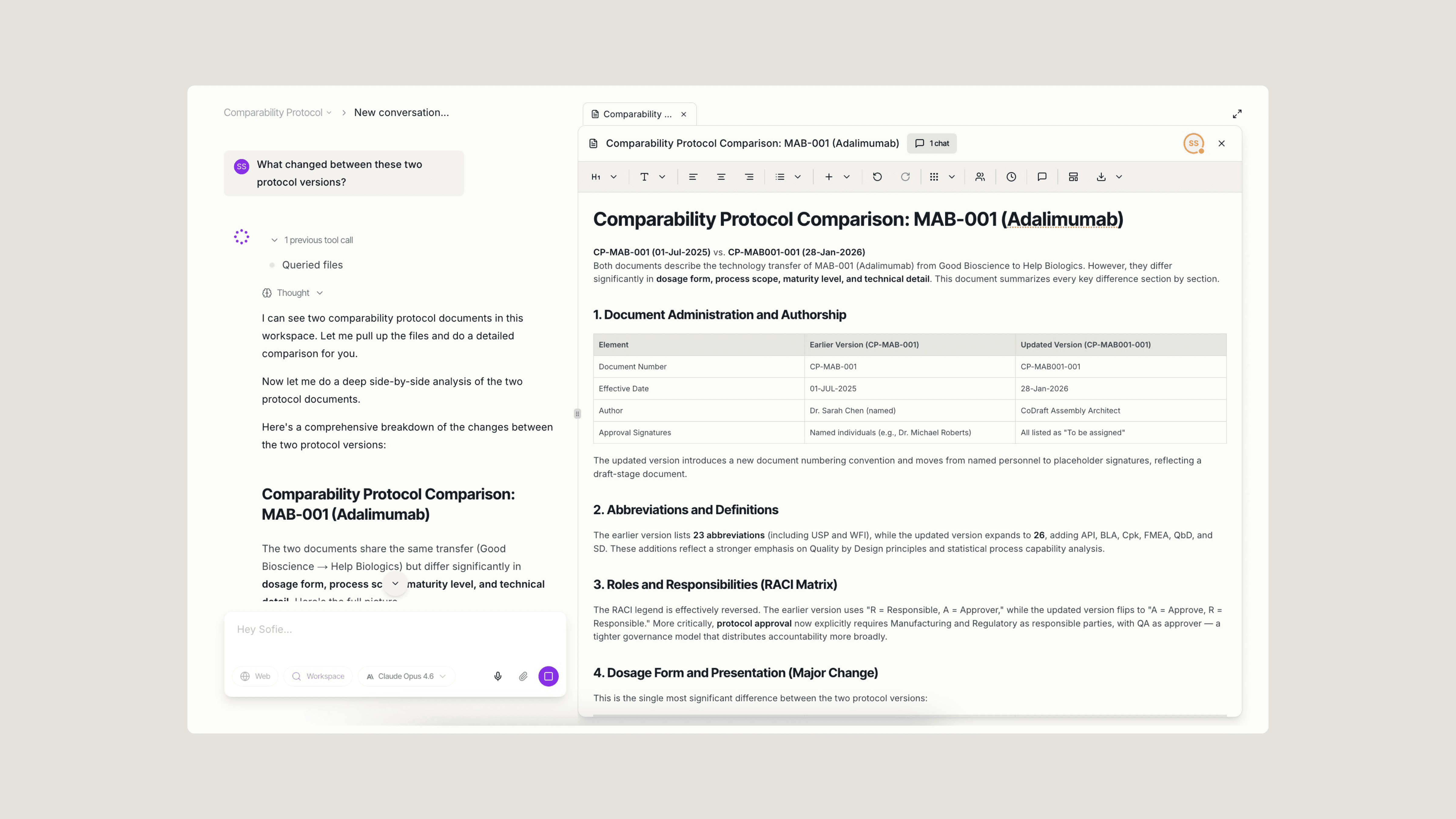
One of the most valuable capabilities at this stage is document comparison. Uploading related files—multiple batch records from the same product, several SOPs covering similar processes, or regulatory guidelines alongside your current procedures—gives Sofie the context to surface differences:
- "What changed between these two protocol versions?"
- "Are there any gaps between our SOPs and the process controls in our regulatory submission?"
- "Do these batch records show consistent results across all three runs?"
What makes these prompts effective is their specificity. They reference particular documents, define a clear comparison, and tell Sofie what kind of insight you're looking for. This specificity is what separates a useful answer from a generic one. When responses feel too broad, adding context—which documents, what timeframe, what decision you're trying to make—tends to sharpen the output.
The same principle applies to data analysis. Uploading Excel or CSV files allows Sofie to analyze trends, flag outliers, or generate visualizations without switching to a separate tool or waiting on someone else to run the numbers:
- "Summarize the key trends in this stability data."
- "Are there any outliers in the assay results across these batches?"
- "Create a chart comparing yield percentages by month."
For regulatory intelligence—FDA guidelines, ICH guidelines, pharmacopeia monographs—Sofie can surface specific requirements with citations you can trace back to the source. Instead of scrolling through 100-page documents looking for the relevant section, you can simply ask:
- "What does ICH Q10 say about management review requirements?"
- "What are the FDA expectations for process validation in continuous manufacturing?"
- "Pull the USP monograph requirements for this compound."
The difference between "tell me about FDA regulations" and "what does FDA guidance say about acceptable hold times for in-process materials" is the difference between getting an overview and getting something you can actually use. Specificity allows Sofie to deliver targeted, actionable answers—which is ultimately what saves time.
Week 4: Scale What Works
By this point, you've found workflows that save real time. Week four is about making them repeatable—and getting your team on board.
Invite a few colleagues into your workspace and everyone works from the same files — the latest SOPs, specs, reference documents. When someone uploads an updated record or saves a polished CoDraft, the whole team has it. The team's knowledge lives in one place and grows over time.
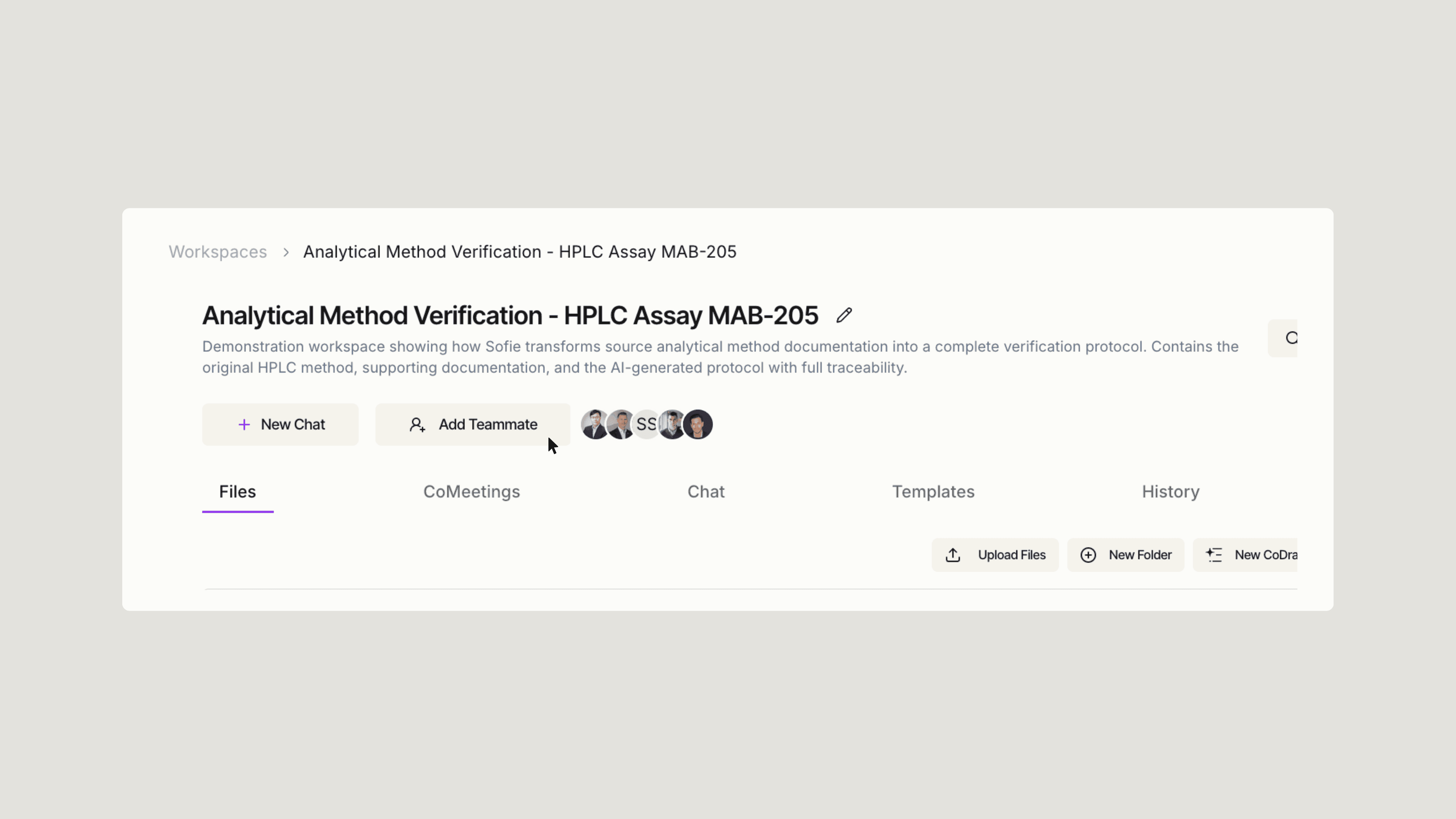
Once that shared foundation is in place, the next step is making it repeatable: workspace setups you can mirror for similar projects, CoDrafts that serve as ready-made starting points for your next analysis, and CoSheets pre-built with the formulas and layouts your team relies on.
Different functions tend to find value in different places:
- Quality: Investigation summaries, CAPA documentation, audit prep
- Manufacturing: Batch record review, process parameter analysis, SOP clarification
- Regulatory: Submission drafting, guidance interpretation, gap analysis
Picking one use case and making it a team standard is often where the real momentum starts. A VP at one of our CDMO pilots told us Sofie is "becoming my go-to tool" for everything from statistical calculations to contract review to budget analysis. That didn't happen overnight—it happened because the team committed to one workflow, proved it worked, and expanded from there.
To understand the full potential of Sofie, tracking your projects and its impact makes a difference. "I saved 45 minutes on investigation prep" is more useful than "Sofie helps." IT Operations at one pilot client cut daily reporting from 7 hours to 15 minutes—a 96% reduction. That's the kind of number that gets leadership's attention and builds the case for broader adoption.
What We've Learned
Over the past year, a few patterns have emerged that separate teams who get value fast from those who don't.
Start focused. Uploading everything at once tends to dilute results. Solving one problem completely before expanding gives Sofie the context it needs to perform well. The more targeted the workspace, the sharper the outputs.
Be specific. Specificity allows Sofie to deliver targeted answers rather than broad overviews.
Check the citations. Sofie shows you where answers come from—and using that traceability matters. In biopharma, defensibility isn't optional. Knowing exactly where an answer originated allows you to verify, reference, and build trust in the outputs.
Share what works. The teams seeing real ROI aren't the ones with a single power user. They're the ones where knowledge flows freely and everyone moves in the same direction.
Sofie isn't here to replace your expertise. It's here to handle the repetitive work so you can focus on the decisions that actually require human judgment—the ones where your experience and context make the difference.
"Users across all sites view Sofie not as a replacement for human work, but as a force multiplier that improves quality of work life by reducing time spent on routine tasks and enabling focus on higher-value activities."
The Numbers
Here's what our pilot clients have uncovered:
- Document search: From 30–45 minutes down to 2–5 minutes (~90% time saved)
- Meeting notes: From 45–60 minutes down to 5–10 minutes (~85% time saved)
- Report drafting: From 2–4 hours down to 30–60 minutes (~75% time saved)
- Cross-document comparison: From 1–3 hours down to 10–20 minutes (~90% time saved)
These aren't aspirational—they're measured.
Where You'll Be
By day 30, you should have a workspace built around your most important workflow, a handful of proven time-savers, and teammates starting to use Sofie for their own daily tasks. You'll have real numbers showing what you've saved—and the confidence to tackle more complex use cases.
From there, the path is clear: expand to more projects, bring in more of your team, and start exploring orchestrations for end-to-end workflow automation.
Everyone who gets through this first month says the same thing: "I can't imagine going back."
Your 30 days start with one workspace, one document, and one question.
Curious how else Sofie can help your team operate more effectively and efficiently? Request a 1:1 and unlock the full power of Sofie for you and your team.
Insights
All insights