Getting Started With Sofie: A Practical Prompting Guide
Five high-impact ways to prompt Sofie—so you can turn manual, multi-step tasks into automated workflows.
TransferAI Team5 min read
Since launching Sofie, our pilot clients have been putting her to work—gathering data from multiple sources, reasoning through complex decisions, and handling multi-step workflows that would normally eat up hours of manual effort. The range of what teams are already doing with Sofie proves just how flexible and powerful she is when paired with your organization's unique expertise.
This breadth of opportunities often leads to a question: where do I even begin?
To answer that question, we have facilitated several 1:1s with our pilot clients who are helping to guide the roadmap for how to build Sofie—asking them what their sticky points are and what their greatest goals are with Sofie. We took all your insights into consideration and put together a list of the first five types of use cases to consider prompting Sofie for. Each of these use cases meets three criteria:
Focused: Use cases that represent high-value tasks—solving exactly what your team needs, without the noise.
Foundational: Solving essential use cases that show up everywhere—making it easy to build on and extend across areas of work.
Adaptable: Sofie will evolve significantly this year, with new capabilities, intelligence, and options. We wanted flexible use cases that endure as agentic AI continues to adapt for the real-world variability of biopharma.
Each use case is presented to share both prompting strategies and preparation steps as well as best practices. The goal of this specific list of use cases is to provide guidance on how to best prompt Sofie to simplify everyday work. By giving you this list, we hope to illuminate what Sofie is capable of and how she can best support you in what you do every day.
Example 1: “Search my emails for [topic/person/keyword]”
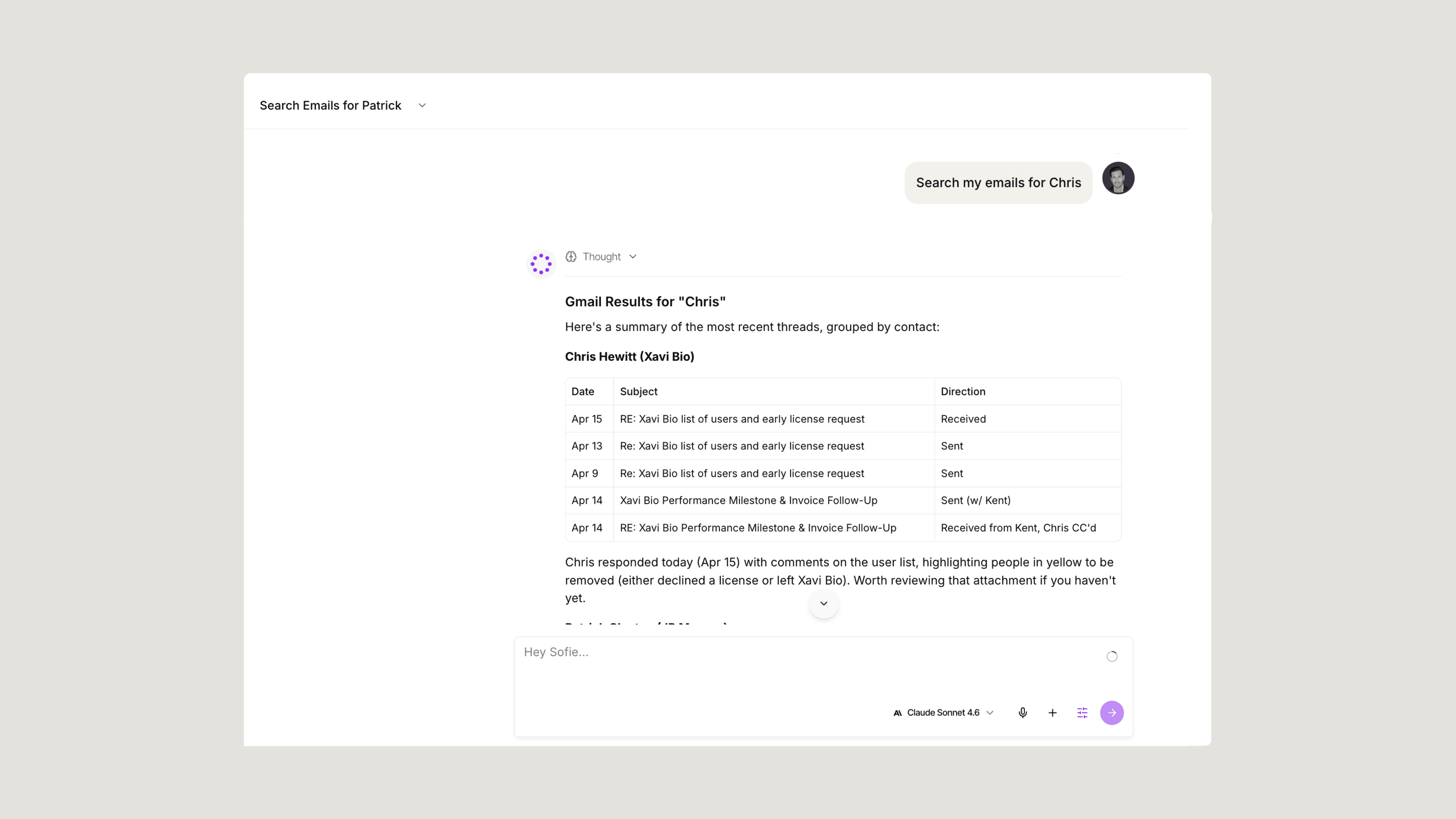
With integration to your emails, you can maximize the value of Sofie and your everyday communications. Instead of spending 15+ minutes sifting through folders trying to remember who sent that last update, Sofie can pull up any email or conversation and summarize what matters most—in seconds. Email integration allows Sofie to do the leg work, saving you time and enabling you to move your project forward more efficiently.
Try these prompts:
- "Search my emails for messages about the stability study from last month."
- "Find all emails from [CDMO name] discussing batch release timelines."
- "Show me recent conversations about the deviation investigation for Batch 2024-089."
Example 2: "Create a document about [topic]"
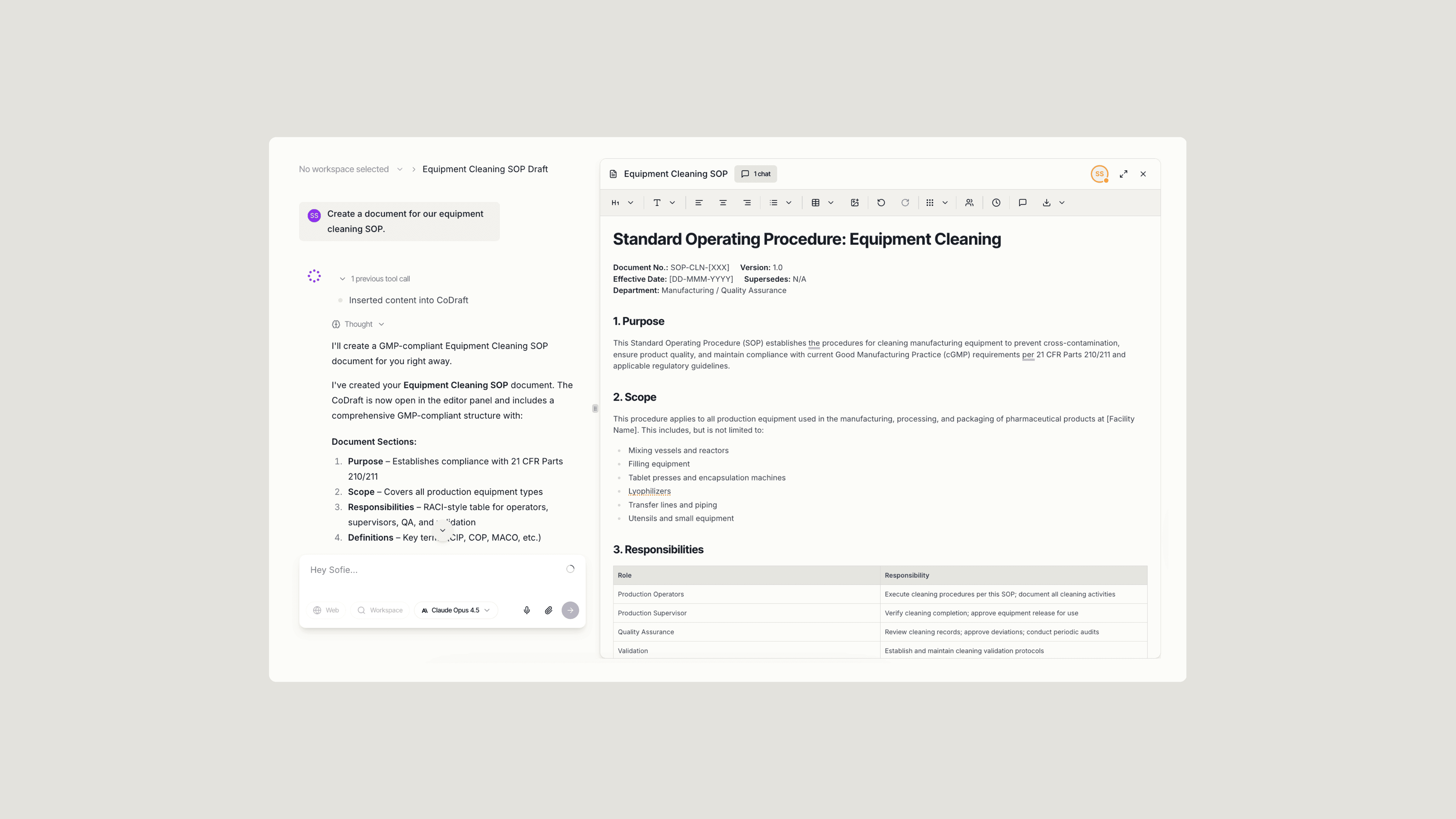
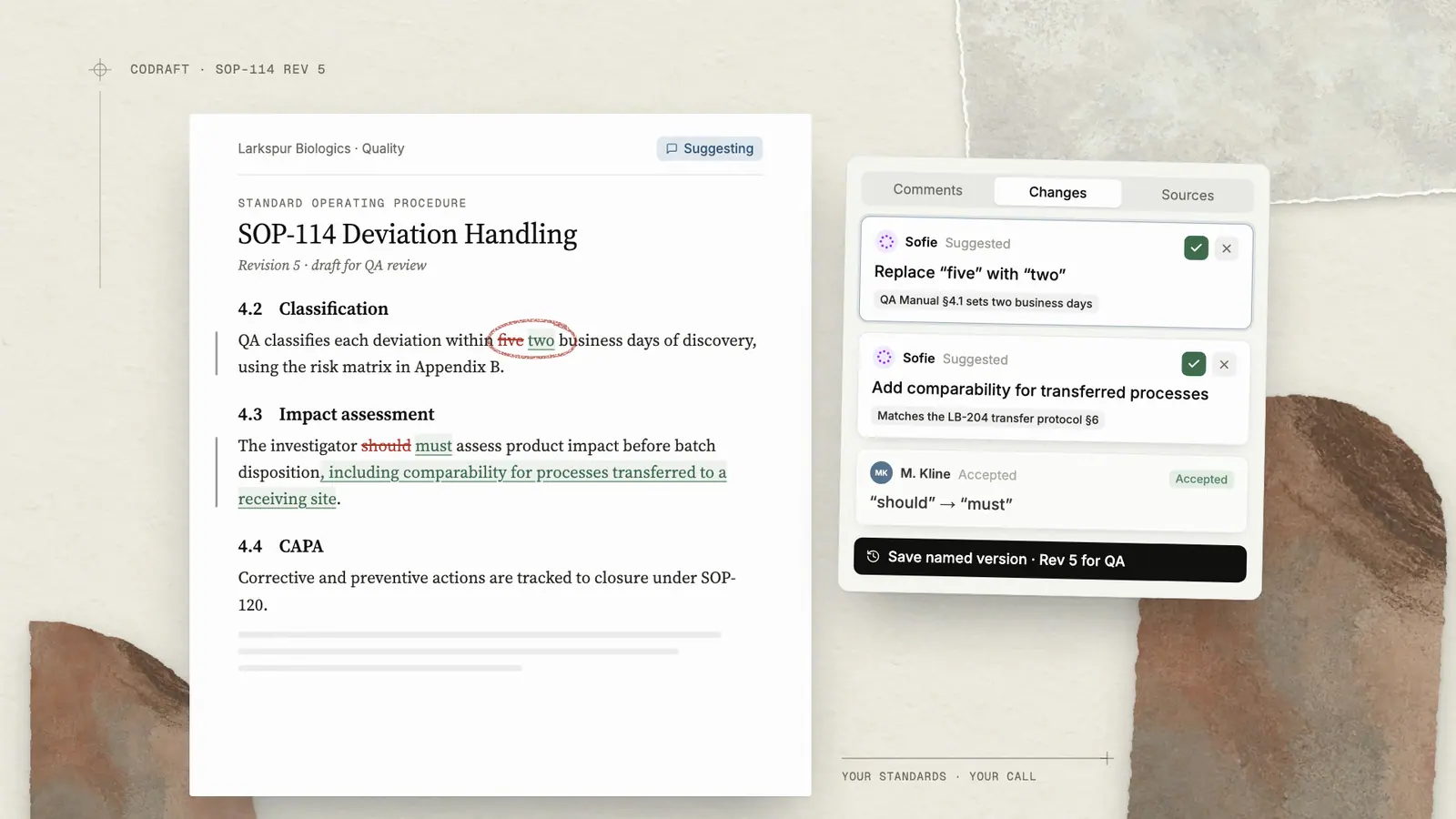
Sofie provides the perfect hub for drafting SOPs, protocols, and technical documents that adhere to regulatory and compliance standards. With a simple prompt, Sofie generates a fully fleshed out document in CoDraft where you can collaborate with your team in real-time. Starting from your ideas, CoDraft helps you build polished, compliant content together—eliminating writer's block and endless review cycles.
Try these prompts:
- "Create a document for our equipment cleaning SOP."
- "Draft a tech transfer protocol for our new bioreactor process."
- "Write a deviation report template for manufacturing operations."
Example 3: "Summarize this [file/document]" (with attachment)
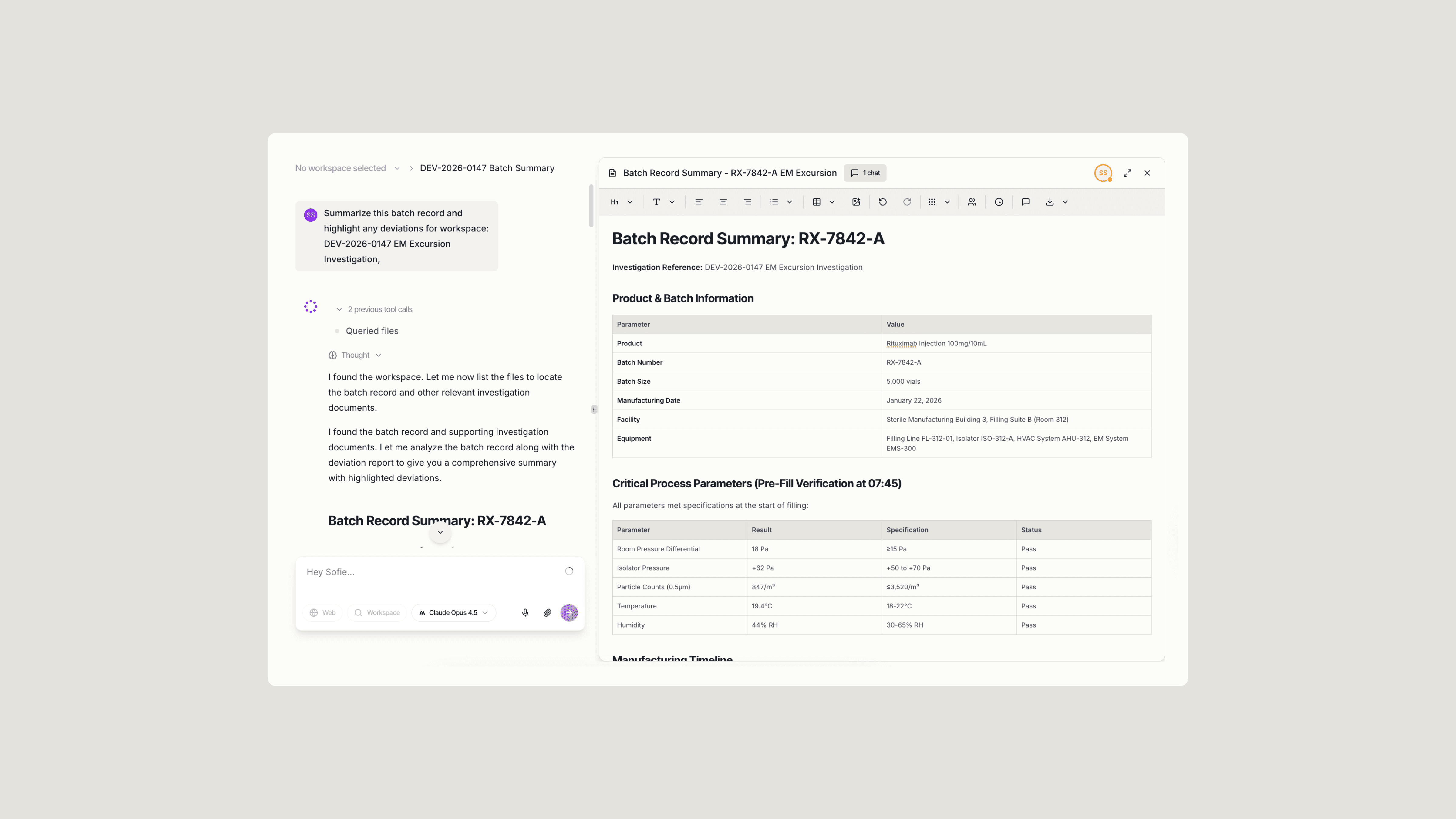
Sofie allows you to review batch records, analytical reports, or regulatory submissions in seconds by simply attaching files to your chat. Get instant summaries, risk assessments, or answers to specific questions—saving hours of careful reading. Whether it's a 200-page validation report or a complex dataset, Sofie improves decision-making speed, precision, and time management throughout your project.
Try these prompts:
- "Summarize this batch record and highlight any deviations."
- "Extract the critical quality attributes from this CMC document."
- "Review this stability report and flag any out-of-specification results."
Example 4: "Compare these two [documents/files]" (with attachments)
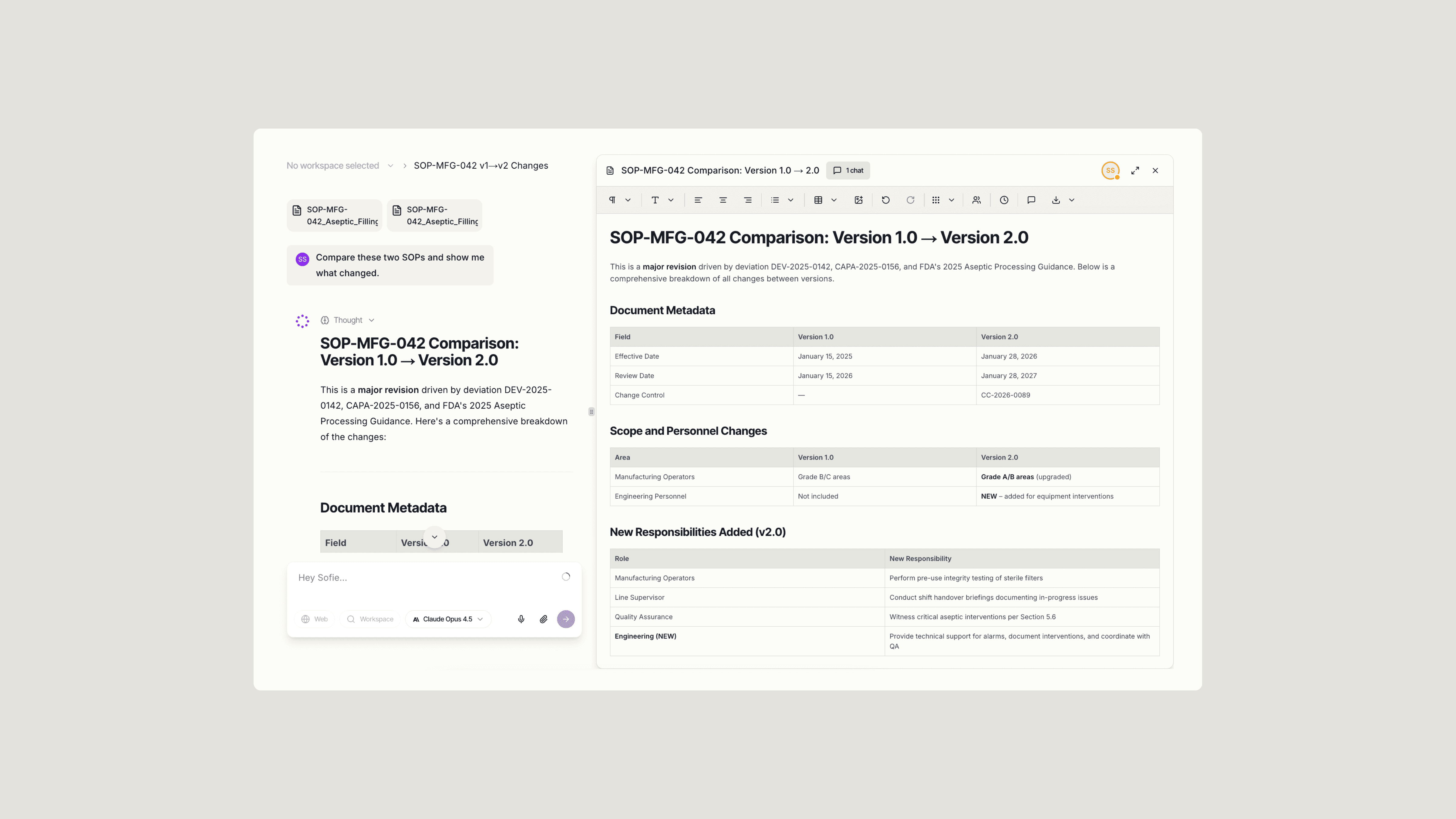
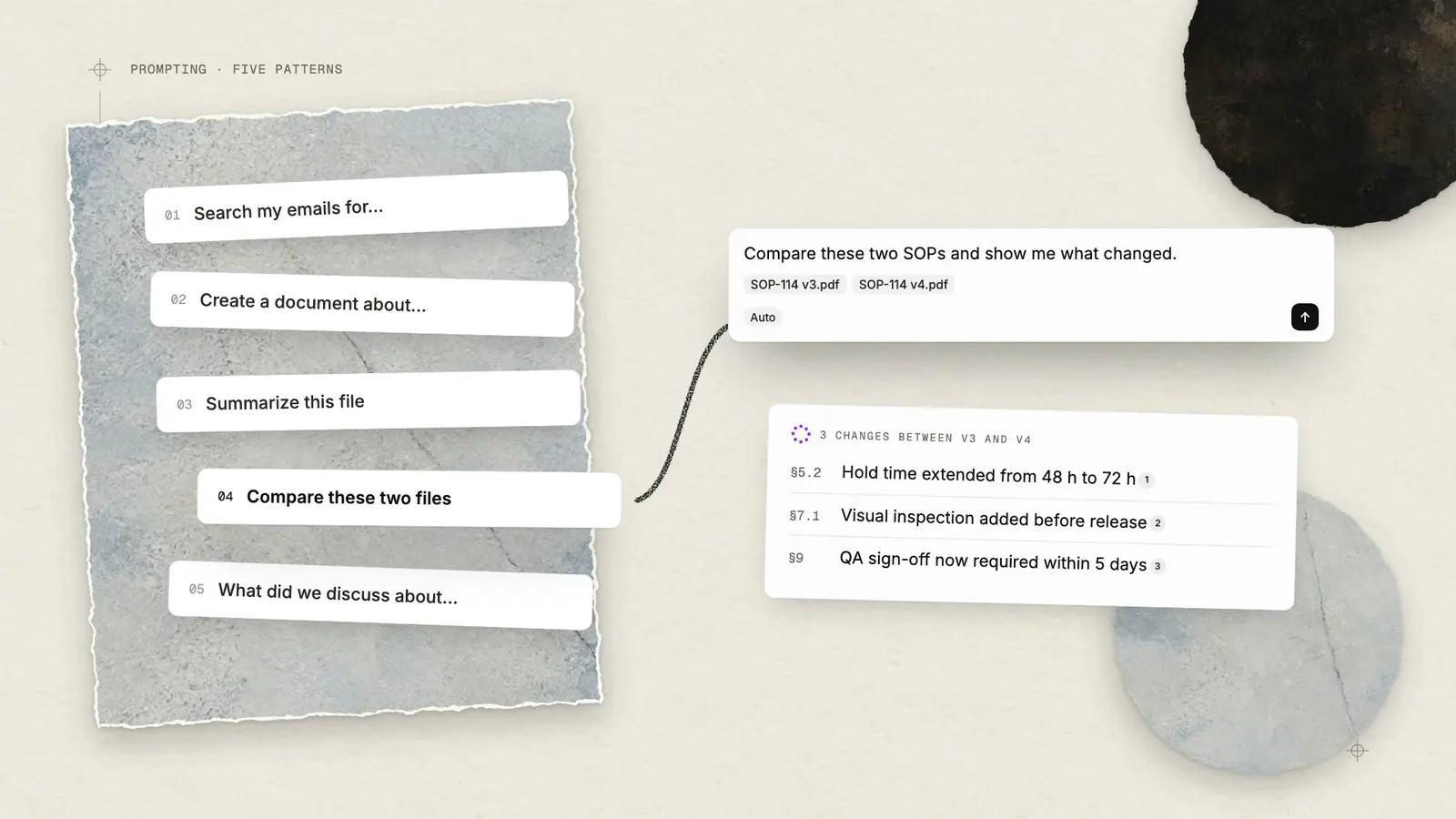
Sofie allows you to compare SOPs, batch records, or specifications by uploading multiple files to your chat. Get instant comparative analysis identifying what changed, what's missing, and what needs attention—turning hours of line-by-line review into minutes. This improves version control accuracy, change management efficiency, and compliance throughout your project. In this example, two files are attached to analyze differences between document versions, enabling Sofie to flag critical updates and highlight areas requiring review."
Try these prompts:
- "Compare these two SOPs and show me what changed."
- "Analyze the differences between Q3 and Q4 batch performance data."
- "Compare the original protocol to the revised version and summarize key updates."
Example 5: "What did we discuss in meetings about [topic]?"
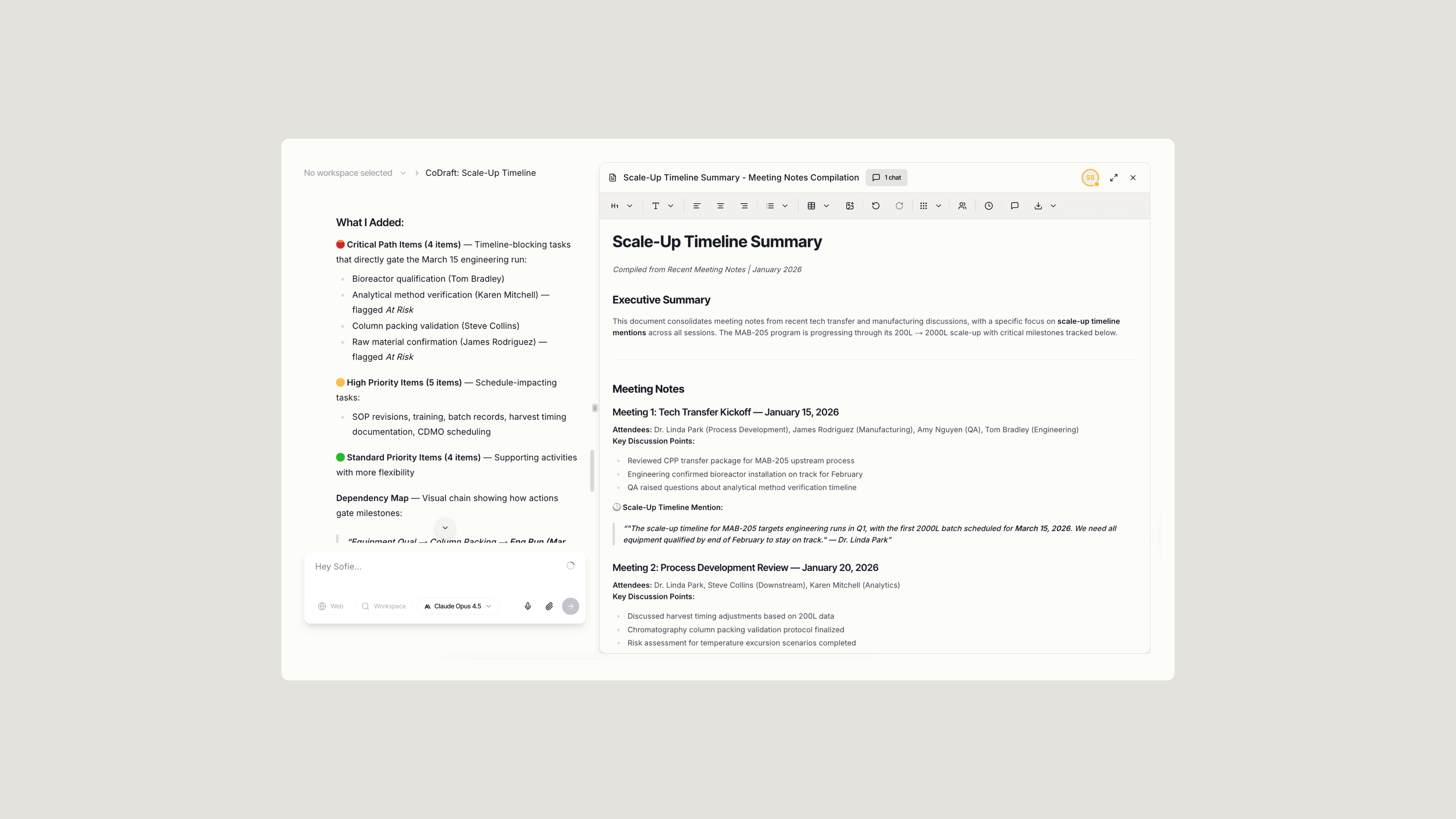
Sofie enables you to search past meetings and calendar events by accessing your CoMeetings history and calendar integration with a simple prompt. Get instant access to discussions, decisions, action items, and scheduled commitments—turning hours of meeting replay and calendar searching into seconds. This improves information retrieval speed, decision tracking accuracy, and schedule management throughout your project. In this example, a search query is used to find specific topics across meetings and calendar events, enabling Sofie to extract key decisions and identify relevant upcoming commitments.
Try these prompts:
- "What did we discuss in meetings about the validation protocol last week?"
- "Find all mentions of the scale-up timeline across my recent meetings."
- "Summarize action items from meetings with the CMC team this month."
Making Sofie Work for You
The five prompts above are just the beginning of what's possible with Sofie. Start simple and add sophistication as needed, incorporating your organization's standards and unique ways of working along the way.
Specificity wins: The more context you provide (equipment type, regulatory jurisdiction, specific requirements), the better Sofie's output.
Leverage your documents: Upload templates, precedents, and reference materials to ground Sofie's responses in your organization's standards.
Iterate naturally: Start with a prompt, review the output, then refine with follow-ups like "Make this more detailed" or "Focus on FDA requirements specifically."
Maintain traceability: Always ask for citations and source references when regulatory compliance matters.
Build on success: Save and reuse prompts that work well, creating your own library of proven approaches.
The goal isn't to replace your expertise—it's to multiply it. Sofie handles the time-consuming documentation and research work, freeing you to focus on high-value problem-solving and decision-making.
If you want a fresh set of high-impact ideas tailored to your use of Sofie, request a 1:1.
Insights
All insights