Organizing Your Workspaces in Sofie
Use Sofie workspaces to organize your biopharma documentation for faster insights, intelligent document queries, and more accessible project knowledge.
TransferAI Team4 min read
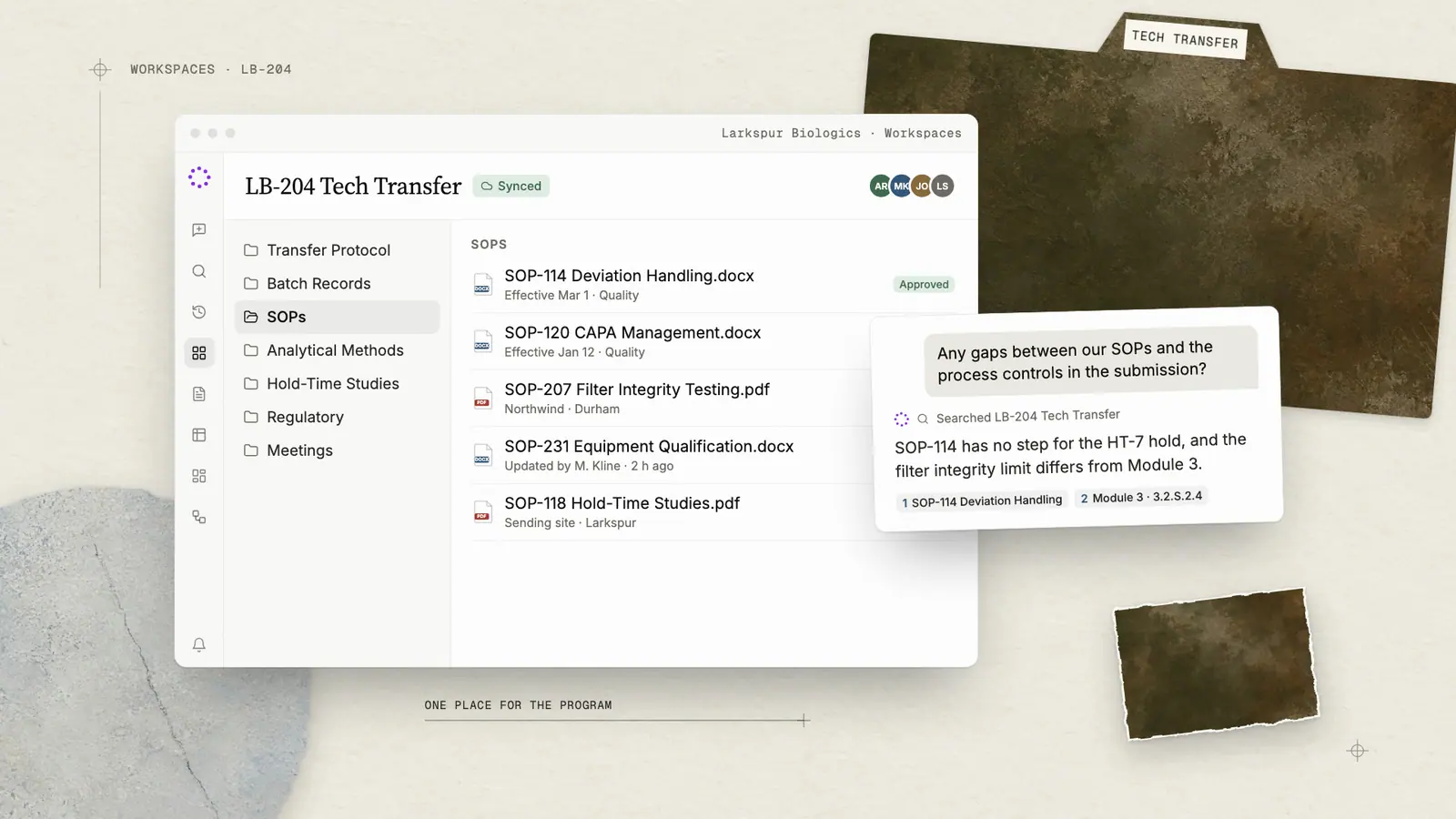
Traditional document management in biopharma operations typically relies on systems like Veeva, Master Control, or SharePoint—deep, compliant repositories that serve their purpose but often become static file folders rather than practical operational tools. Instead of manually searching through manufacturing documents, SOPs, batch records, and regulatory submissions to extract information for each new project, Sofie transforms your existing documentation into dynamic, intelligent assets where you can review, analyze, extract insights, and interact with your projects through organized workspaces.
The Power of Workspaces in Sofie
Workspaces eliminate the time-consuming search through manufacturing documentation while maintaining full compliance standards. Workspaces give you a home base for all your projects and creates an organized, shareable, and collaborative space.
With each workspace, Sofie becomes more accurate, relevant, and powerful with just a few minutes to curate your workspace organization. You can do this document-by-document or upload folders straight from your QMS or SharePoint. Remember, Sofie isn’t competing with your current systems but working alongside them.
Workspaces is a fully integrated, flexible component of Sofie, allowing users to query workspace documents from chat. Both chat threads and workspaces can be shared, allowing teams to collaborate on projects and exchange knowledge and insights.
From Static Files to Dynamic Intelligence
You benefit from the true power of Sofie when you leverage your current document management system to give Sofie operational intelligence of your specific projects, processes, and initiatives.
Any team member has the ability to upload documents straight to a workspace, making it easy to give Sofie a breadth and depth of context. This context fundamentally changes how Sofie helps you work:
- From generic advice to expert consultation — Sofie references your actual procedures, historical data, and site-specific context rather than providing generic recommendations.
- From reactive problem-solving to predictive insights — Sofie identifies potential issues by analyzing patterns across your previous tech transfers, helping you avoid repeating past challenges.
- From starting over to building on success — Sofie knows what worked in your previous scale-ups and suggests proven solutions tailored to your current project's specific requirements.
- From isolated answers to connected intelligence — Sofie understands relationships across your entire project ecosystem, connecting process development decisions with regulatory commitments and commercial manufacturing realities.
How it Works
Workspaces make it easy to turn your knowledge into a scalable system of insights. Here’s a walkthrough of an example workspace:
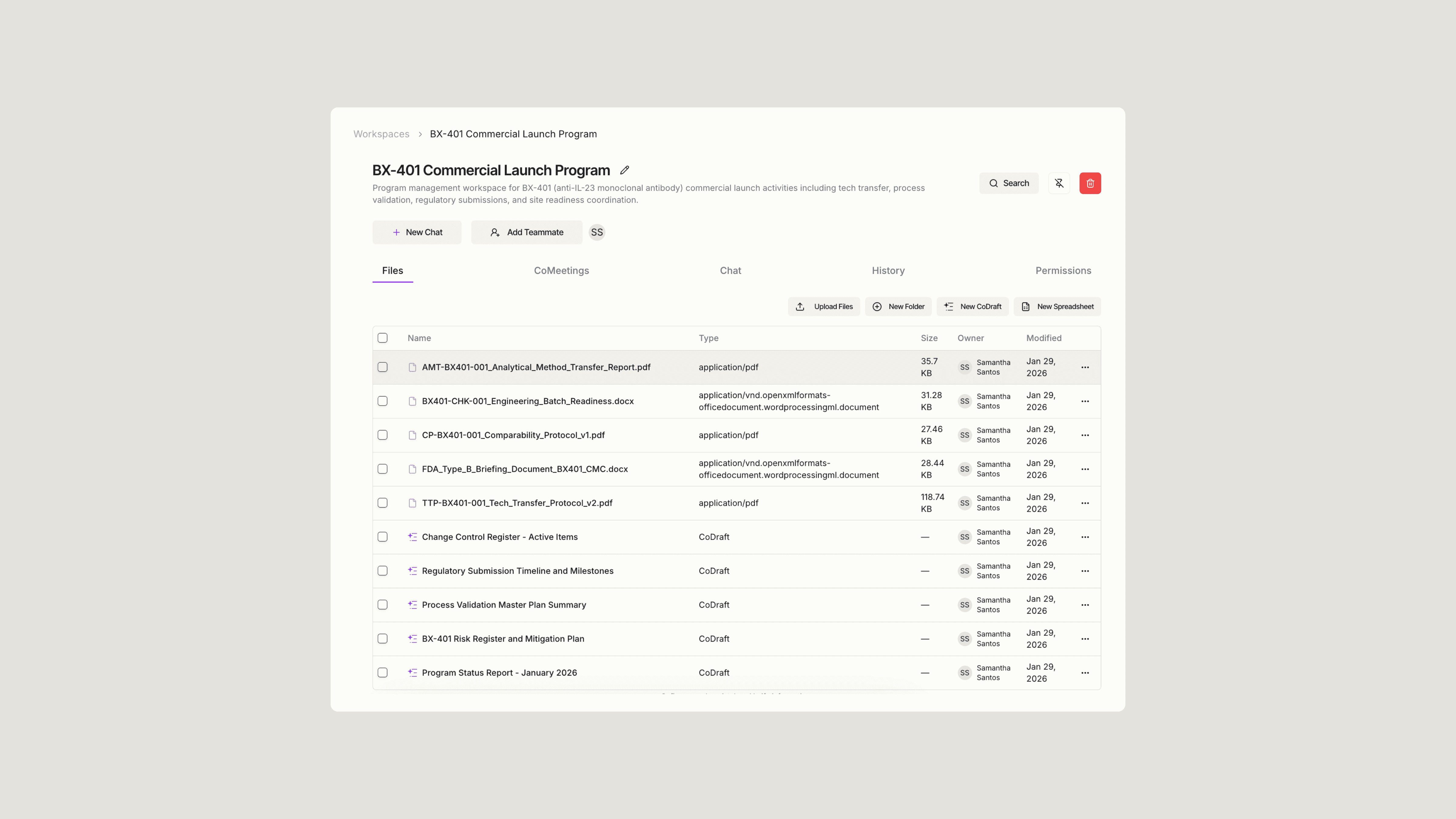
To summarize, the basic steps are:
- Create context-rich workspaces
Start by having a loose idea of your goal with Sofie, or start with a project folder. Instead of generic folders, think about a project or initiative and build a workspace that acts as a hub. A project folder for a specific quality investigation could include deviation reports, root cause analyses, and corrective actions so Sofie has the full picture. - Upload all relevant files
Add more than just individual files - upload document families that tell a complete story. You can even ask Sofie what to add, think along the lines of pairing an SOP with training records, change controls, and effectiveness checks. The more Sofie has, the better. - Create, share, and refine
Use the workspace, share it across your team, and ask Sofie relevant questions. You can iterate and add or remove files as you see fit.
Putting It Into Practice
Let's see how this works with a real biopharma scenario. Consider a tech transfer project where you need to move a process from R&D to commercial manufacturing. Here, workspaces provide the perfect framework for organizing all your critical documentation. Incorporating your process development reports, equipment specifications, and regulatory submissions enables Sofie to offer insights and analyses. Workspaces saves you time from manually comparing files and allows Sofie to gather context to guide you through your project.
Now you can ask Sofie questions like:
"What are the critical process parameter differences between our pilot and commercial equipment, and how might they impact our proven acceptable ranges?"
Sofie cross-references your process development data with equipment specs, identifies potential considerations, and can reference approaches from similar projects you've uploaded.
"Are there any gaps between our current SOPs and the process controls described in our regulatory submission?"
Rather than manually comparing documents, Sofie can quickly identify discrepancies and highlight areas that may need attention, all based on your organization's actual documentation.

If you want a fresh set of high-impact ideas tailored to your use of Sofie, request a 1:1.
Insights
All insights