Sofie at Work: How to Build Meeting Minutes
For this article of Sofie at Work, see how to use Sofie to stay present in meetings that matter most.
TransferAI Team2 min read
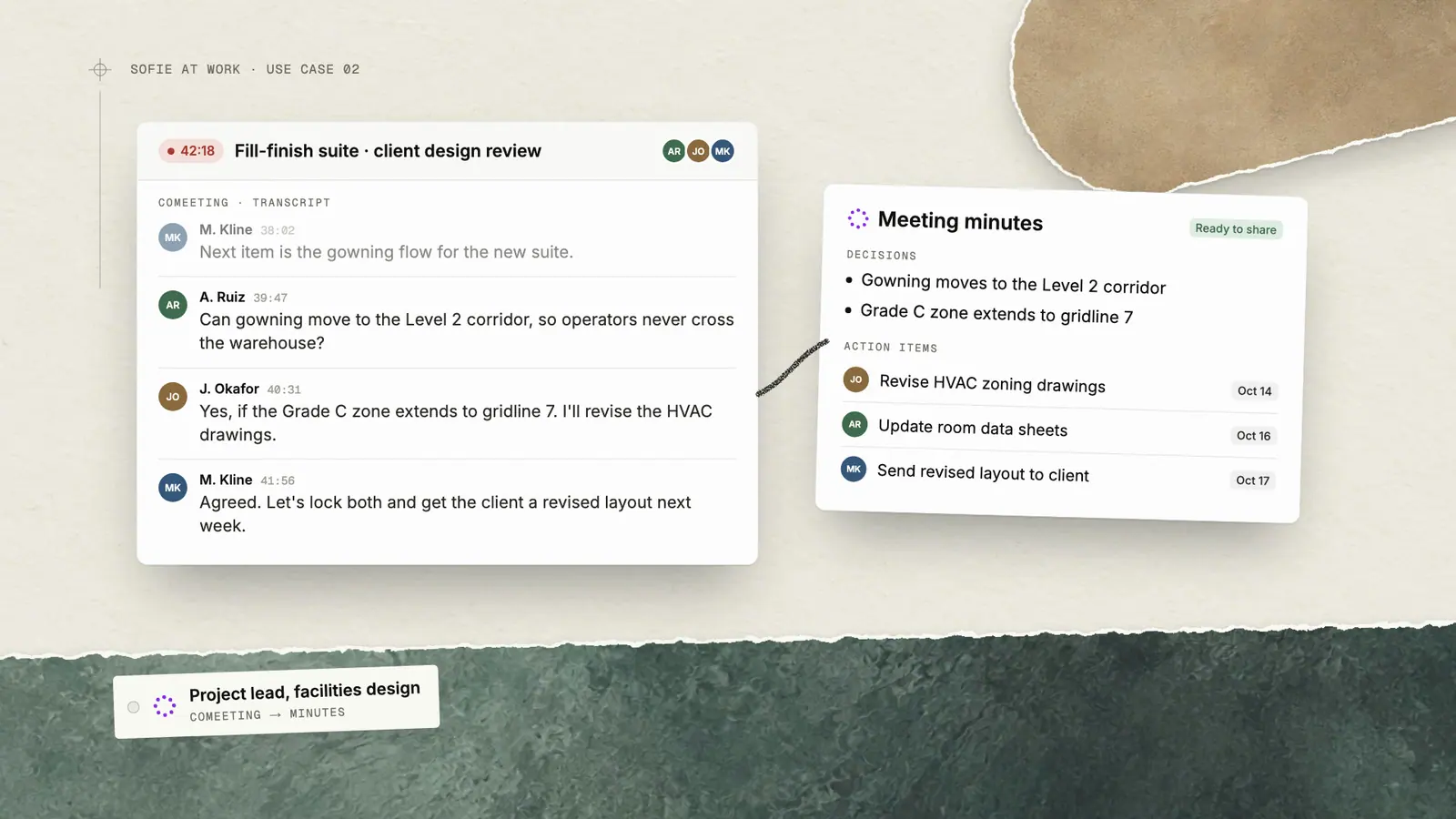
Sofie at Work is our series where professionals show real workflows in Sofie in action. This article features a Project Lead from an architecture, engineering, and construction firm specializing in life sciences facilities. In the article, she walks through using CoMeeting to capture a client meeting and generate shareable minutes in just a few minutes.
Using CoMeeting to Capture What Matters
When you're preparing meeting minutes or aligning stakeholders after a project call, you often start by reviewing your notes—each containing fragments of the conversation you need to document. Finding the key decision or action item that moves the project forward can take significant time.
Sofie enables you to capture, organize, and summarize meeting content in minutes. Record your meeting with CoMeeting, then generate structured minutes with key decisions, action items, and next steps. With Sofie, you can share accurate meeting documentation faster—and stay fully engaged during the conversation itself.
Start by joining your meeting with CoMeeting enabled. In the example above, it's a client design review. CoMeeting records the full conversation with speaker attribution while you focus on the discussion.
When the meeting ends, Sofie generates a dynamic and thorough summary. Sofie will:
- Generate meeting minutes with key decisions and action items
- Summarize the discussion points by topic
- List all action items with owners and deadlines
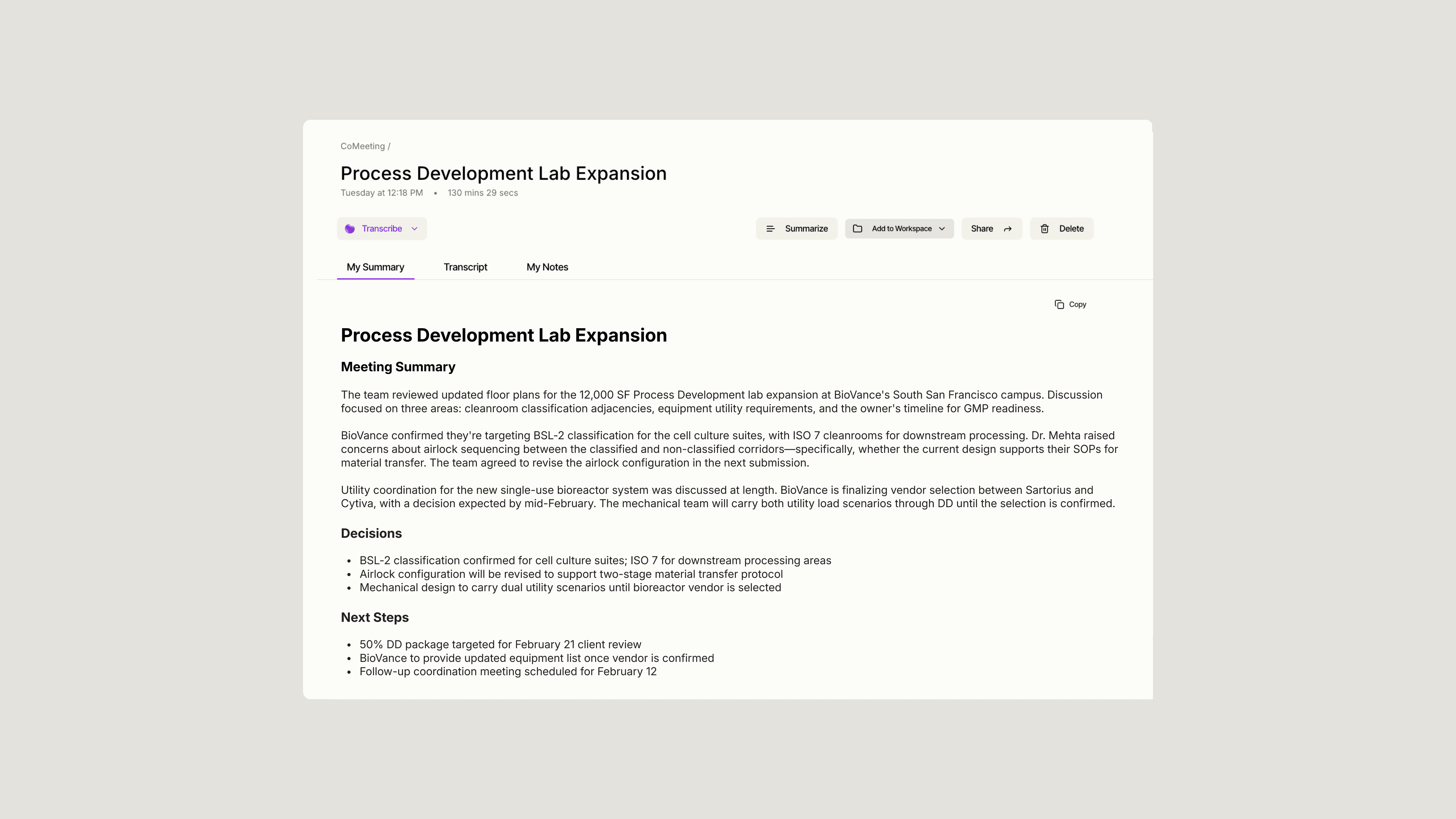
Sofie analyzes the full transcript and extracts the information you need—pulling verbatim quotes, identifying decisions, and organizing action items by owner. Instead of manually reviewing your notes and trying to remember what was said, you get structured documentation ready to share.
Once your minutes are generated, you can continue to interact with the meeting content:
- Ask follow-up questions about specific topics discussed
- Draft a follow-up email summarizing next steps
- Search for what a specific person said during the meeting
- Compare decisions across multiple related meetings
Instead of spending 20-30 minutes writing up notes after every meeting, Sofie summarizes accurate, shareable minutes in seconds—based on what was actually said, not what you managed to capture while multitasking.
If you want a fresh set of high-impact ideas tailored to your use of Sofie, request a 1:1.
Insights
All insights