CoDraft
Documents thatsurvive the trip to Word.
CoDraft is where Sofie and your team write together: technical deliverables, SOPs, reports and correspondence, drafted from your sources, redlined in the open, and exported to Word and PDF.

Tech Transfer Charter · Controlled
LB-204 Drug Substance Transfer
Version 0.4 · Draft for QA review
3. Scope of Transfer
This charter governs the transfer of the LB-204 upstream and downstream process from Larkspur Biologics, Cambridge (sending site) to {Receiving site} (receiving site). The transfer covers the 2,000 L fed-batch process through drug substance release, including fill-finish operations.
4. Roles and Responsibilities
5. Process Overview
MostAIwritesadraftandleavesyoutofixtheformatting,findthesourcesandreconciletheedits.CoDraftkeepsthedraft,theevidenceandthereviewinthesamedocument.
Capabilities
What CoDraft does
01
Word round-trip you can trust
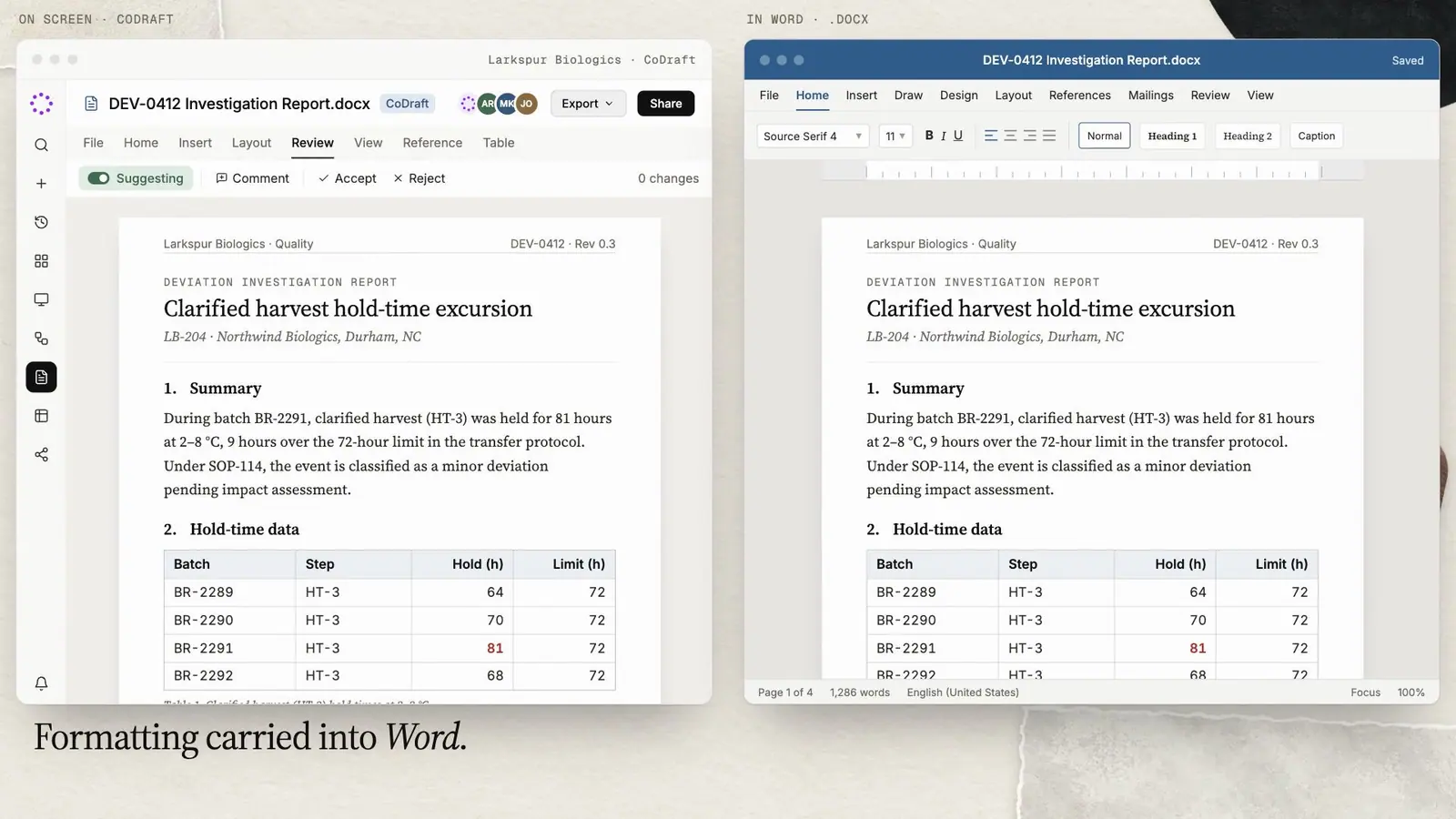
Import .docx, including legacy .doc, and export it back with headers, footers, section breaks, tables and numbering intact, or export to PDF.
02
Tracked changes and comments
Insertions and deletions carry their author, person or Sofie. Accept or reject them one at a time or all at once, and discuss in threaded comments.
03
Edits beyond paragraphs
Sofie edits like a careful colleague: footnotes, cross-references, tables of contents, headers and footers, watermarks and table design, not just paragraphs.
04
Sources you can check
Ask Sofie to cite the workspace files and regulations a draft relies on. Template fields keep their provenance, so reviewers can check the basis before it moves.
05
Real-time co-editing
Colleagues see each other's cursors and edits live. Sofie edits in the same document, in the open, and can propose its changes as tracked changes for review.
06
Email, drafted in place
Write correspondence as a CoDraft with recipients and send it through Gmail or Outlook, with the formatting your recipient expects.
Redlines
Review Sofie’s edits like a colleague’s.
Ask Sofie to suggest edits to tighten a section, apply a new guidance or reconcile two versions. Its changes arrive as tracked changes you accept or reject, with comments explaining why.
- Reads imported redlines and accepts or rejects them in batches on request
- Saves named versions you can restore
- Tracked changes and comments show who made them, a person or Sofie

Hold-time comparison
Templates
Your formats, filled in.
Start from over a hundred prebuilt biopharma templates or import your own controlled .docx. Sofie fills each field from your workspace, records where every value came from, and asks rather than guesses when something is missing.
- Conditional sections and charts inside templates
- Per-field source tracking
- Versioning and lineage for every template

Tech Transfer Charter
44 fields
Process Validation Protocol
43 fields
Fields
34 of 44 filledTech Transfer Charter
LB-204 Drug Substance Transfer
1. Purpose and Scope
This charter governs the transfer of {Product} from {Sending site} to {Receiving site}. The process runs at {Process scale}.
2. Validation Approach
Process performance qualification will comprise {PPQ lots}, beginning {Target PPQ start}. Intermediate hold times are supported by {Hold-time support}.
3. Roles and Responsibilities
Grounded drafting
Start from the evidence, not a blank page.
Research across workspace files, regulatory sources and the web in chat, then ask Sofie to turn the answer into a CoDraft that cites its sources.

HT-7 hold-time support
Deep researchSources
6 of 18 citedHTS-014 Hold-Time Study Report.pdf
p. 14 · exact
21 CFR 211.111 · Time limitations on production
ecfr.gov
Process Validation: General Principles and Practices
fda.gov · Guidance
LB-204 Transfer Protocol v3.docx
§6.2 · exact
BR-2291 Executed Batch Record.pdf
p. 22 · exact
Designing hold-time studies for biologics intermediates
bioprocessintl.com
“Complex questions used to take hours. Sofie brings the risk-based thinking and regulatory backing together instantly. My responses are sharper, faster, and defensible from the start.”
Questions
Frequently asked
Will my document look the same when I export it to Word?
CoDraft uses its own OOXML converter built for fidelity: headers and footers, section breaks, numbering, tables, footnotes and page layout round-trip to Word. PDF export is produced from the Word file.
Can Sofie change a document without anyone noticing?
No. Sofie edits in the open, and when you ask for suggestions its changes arrive as tracked changes attributed to Sofie, for your team to accept or reject. Saved versions can be restored.
Can I use our own controlled templates?
Yes. Import a .docx as a template with fields and conditional sections. Visibility can be private, workspace-wide or organization-wide, with versioning and lineage.
Works with
Part of one connected platform


Start with one workflow.
Measure it. Then expand.
In a working session we choose a priority workflow, define your standards and review points, and agree how to measure speed, quality and capacity. Then you evaluate Sofie's work before deciding whether to expand.