Sofie Voice
NewTalk it through.Watch it get built.
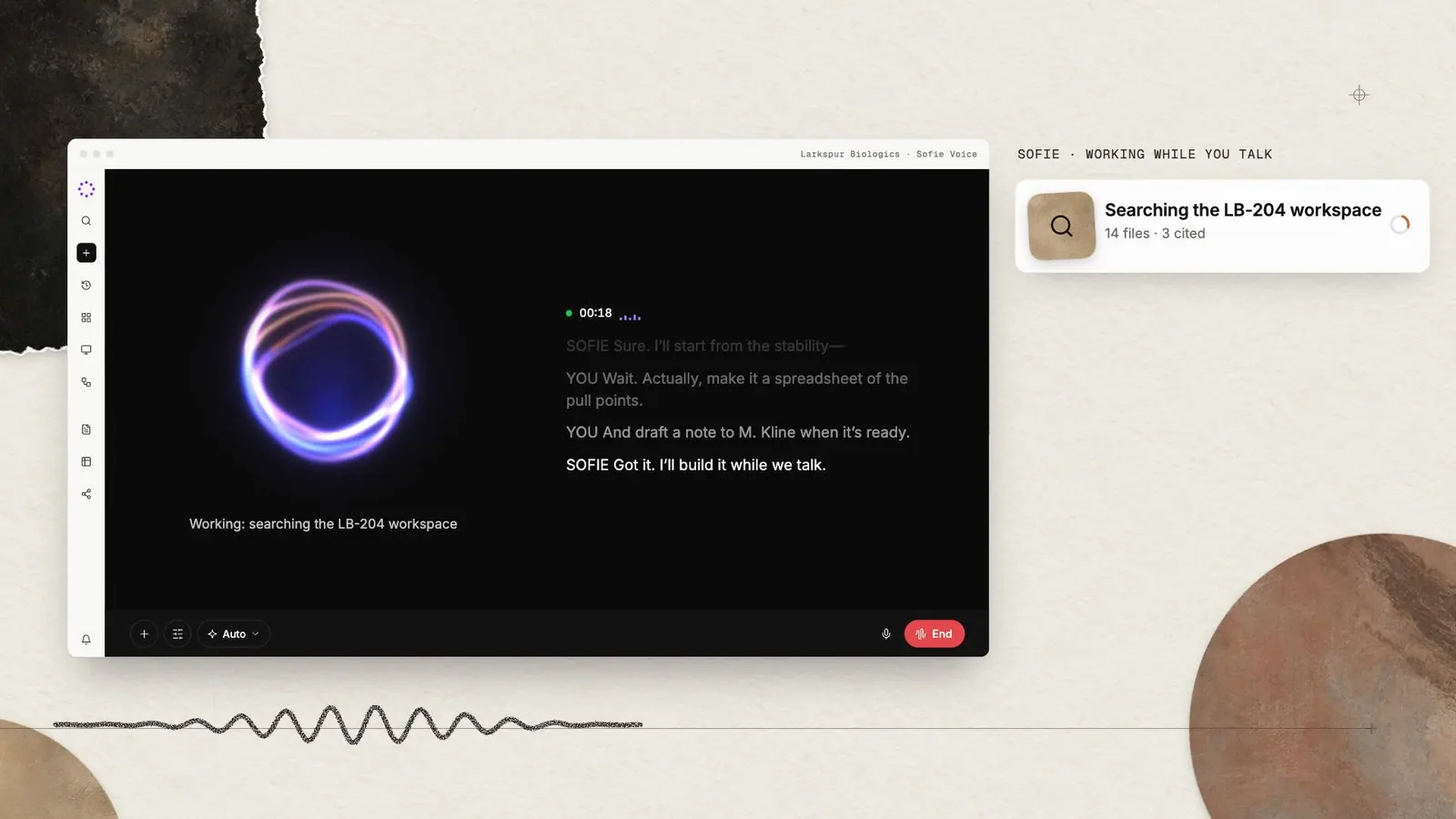
Sofie Voice is a hands-free way to work. Speak naturally while Sofie uses its full toolset, and the documents, sheets and Surfaces it builds open beside the conversation in split screen.

Speaking
SOFIE
LB-204 Stability Pull Points
Source: SofieWorkspaceARShareThefastestwaytoexplainwhatyouneedistosayit.Splitscreenputstheconversationandtheworkinthesameview,soyoucantalk,watch,correctandapprovewithoutswitchingwindows.
Capabilities
What Sofie Voice does
01
Hands-free, in real time
Live voice with natural interruptions, live captions and automatic reconnect.
02
The full toolset behind it
The voice model hands real work to Sofie: workspace search, regulatory research, CoDraft edits, CoSheet analysis, Surfaces and orchestrations.
03
Split screen
CoDrafts, CoSheets, Surfaces, meetings and orchestrations open beside the conversation as you talk.
04
Hands-free data capture
Speak measurements and observations as you work. Sofie captures them in a structured spreadsheet, ready for you to review.
05
Approvals on screen
When a step needs sign-off, the approval appears in front of you. Nothing is sent or shared on a spoken aside.
06
Back to text chat
Close Sofie Voice whenever you want and return to a traditional text chat.
Split screen
The work opens beside the conversation.
Ask for a redline and watch it land in the CoDraft on the right. Ask for a comparison and the CoSheet fills in. Correct it out loud and keep going.
- CoDrafts, CoSheets, Surfaces, meetings and orchestrations
- Opens beside the conversation as Sofie builds it
- Colleagues can co-edit the same artifact live

Hold-time comparison
Hands-free
Say the task. Sofie does the work.
Describe what you need the way you would to a colleague. Sofie searches the workspace, checks the regulation, updates the tracker and drafts the document, and tells you what it did as it goes.
- Interrupt at any point to redirect
- Live captions for every exchange
- Reconnects on its own if the network drops

“Log the bioburden excursion from this morning against the aseptic filling deviation, and check what Annex 1 expects for the investigation.”
Searched LB-204 workspace
14 files · 3 cited
Checked 21 CFR 211.113 and EU GMP Annex 1
Regulatory Intelligence
Opened Deviation & CAPA Tracker
Surface · split screen
Added DEV-2026-041 with root-cause summary
Record saved
Hands-free data capture
Your hands on the science. Sofie on the notes.
Speak measurements and observations as you work. Sofie captures them in a structured spreadsheet, ready for you to review.
- Keep sample IDs, values and units together
- Capture observations alongside the readings
- Correct an entry by voice, then review the CoSheet

At the bench
“In the stability readings sheet, sample LB-204-03: pH 6.8, temperature 22.4 degrees Celsius. Clear, no visible particles.”
Stability readings · CoSheet
| Sample | pH | Temp. °C |
|---|---|---|
| LB-204-02 | 6.9 | 22.1 |
| LB-204-03 | 6.8 | 22.4 |
Clear, no visible particles.
Captured in the sheet. Ready for your review.
Screen awareness
“Show me my workspaces.”
Sofie can see what is open in split screen: the outline of the document, the columns in the sheet, the labels on each slide. Refer to “this section” or “that column” and it knows what you mean.

Opened on the right. LB-204 had three new files synced this morning.
Sofie can see
Workspaces list · 4 items · sorted by recent activity
Workspaces
LB-204 Tech Transfer
Northwind Biologics · Client
Site Quality · 2026
Annex 1 Readiness
Back to text chat
Hop back to a normal chat if you want.
Close Sofie Voice whenever you want and return to a traditional text chat. Speak when it suits the task. Type when you prefer.

Chat with Sofie
What would you like to work on?
“Sofie changes everything, except the way you work. It just makes it a whole lot easier and faster.”
Questions
Frequently asked
Can Sofie Voice send or share things on its own?
No. Sensitive steps, such as sending an email, surface an approval on screen, and nothing happens until you confirm it.
What can open in split screen?
CoDrafts, CoSheets, Surfaces, meetings and orchestrations. In typed chat, the divider between chat and work is resizable.
Can I interrupt Sofie while it is talking?
Yes. Interruptions are handled naturally, captions show what was said, and the session reconnects automatically if the connection drops.
Do I have to use voice to get split screen?
No. Split screen works with typed chat as well. Voice adds a hands-free way to drive the same work.
Works with
Part of one connected platform
Research & Chat
Deep research across your files and the web, every claim cited.

CoDraft
Word-faithful documents Sofie drafts, redlines and cites with your team.

Surfaces
Decks, dashboards, pages and live trackers built from a conversation.
Workspaces
Every program, site and client, with its files, people and history in one place.
Talk through one workflow.
Watch it get built.
In a working session we pick a priority workflow and run it with Sofie Voice in split screen, against your documents and your standards. Then you decide whether it earns a place in the way your team works.