Introducing Sofie Guide
Learn how to best use Sofie directly in the product with instant, cited answers sourced from our documentation so you can get answers directly, and spend more time doing the work that matters.
TransferAI Team5 min read
Biopharma work moves fast. A deviation gets flagged on Monday. By Wednesday, the team is in an investigation. By Friday, a corrective action is drafted and a CAPA is open. Somewhere in between, someone needs to run a tech transfer analysis, a regulatory submission gets prioritized, and a new team member is logging into Sofie for the first time.
There's rarely time to pause and read documentation. There's even less time to search for the right way to do something when you're already in the middle of doing it. And yet, getting the most out of an AI platform like Sofie requires knowing what it can do and how to ask for it the right way. That's why we built the Sofie Guide.
What is Sofie Guide?
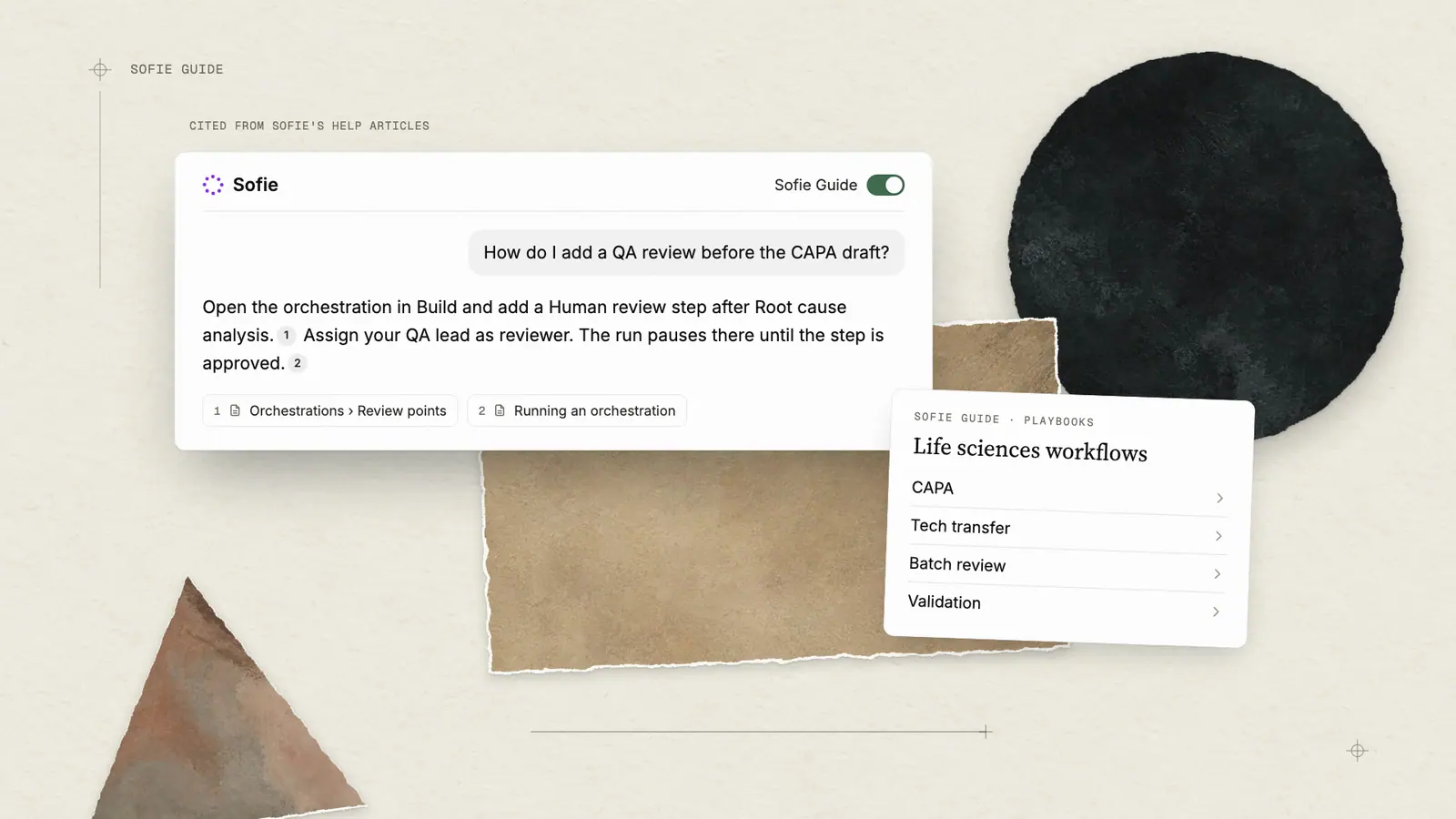
Learn how to use Sofie — directly from Sofie itself. Get instant, cited answers drawn directly from our help documentation so you don't have to search for answers, you can simply ask Sofie. Each answer Sofie provides is linked back to our documentation so you can explore related articles and learn more about the features you want to explore further. Toggle Sofie on from the Settings icon in the chat window to:
- Get answers to feature and workflow questions
- Troubleshoot issues
- Explore how-tos for specific features and life sciences workflows
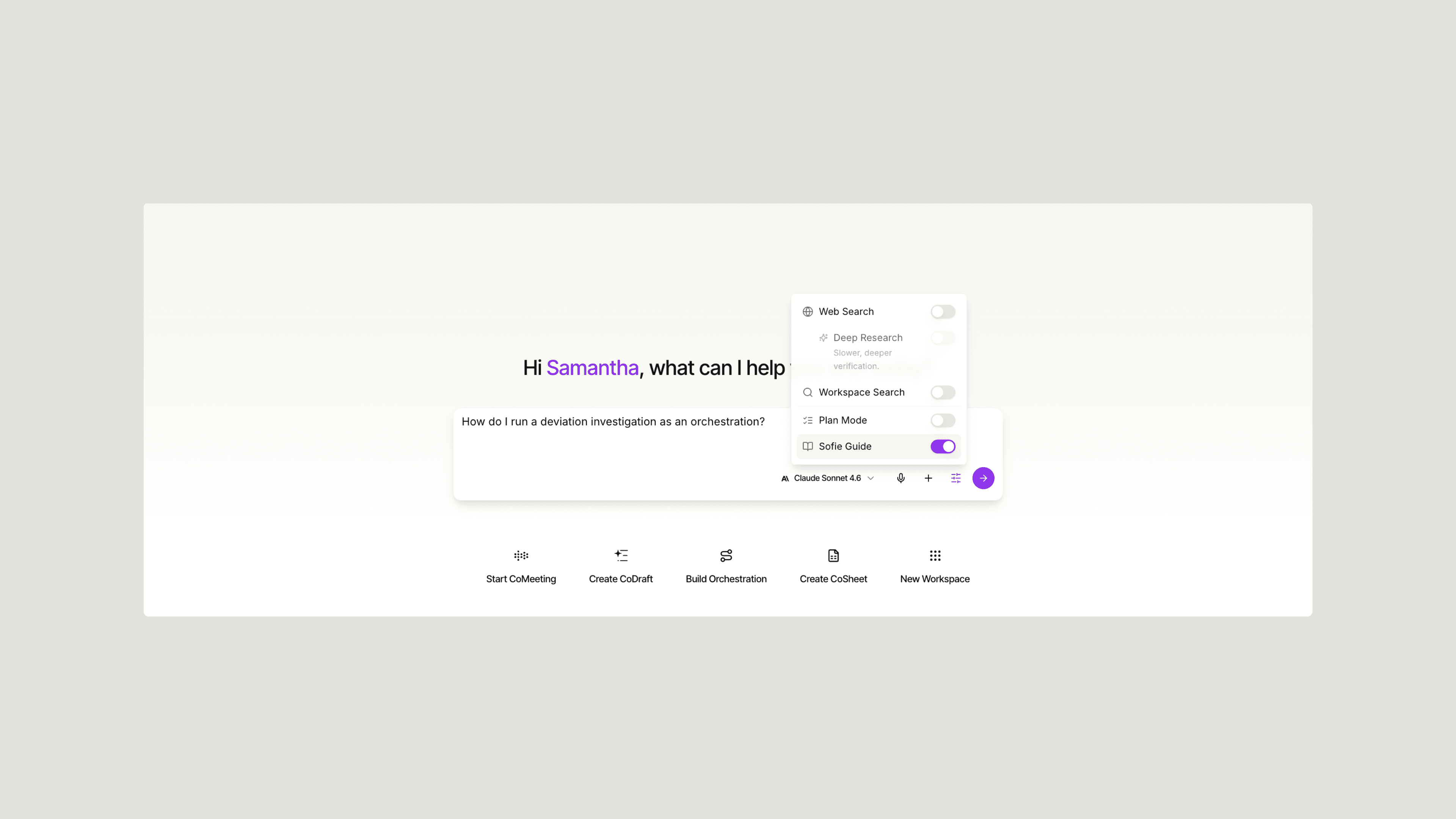
More than a reference manual, Sofie Guide is designed to be integrated directly in our platform so it can meet you where you are and guide you along the way. Whether you're onboarding your team, troubleshooting a workflow, or exploring a capability you haven't used yet, Sofie Guide is structured so you can ask for guidance and apply it right away. It is organized across six primary areas:
- Chat and context — Learn how Sofie uses context, how to attach files, run web search, use deep research, and how to get the most out of every conversation.
- Create and collaborate — Detailed guidance on CoDraft, CoMeeting, CoSheet, Templates, and Orchestrations — the artifacts and workflows you build with Sofie.
- Search — How to find chats, workspaces, documents, meetings, spreadsheets, and orchestrations using Sofie's global search.
- Personalizing Sofie — How to manage memory, directives, saved prompts, and account settings so Sofie works the way you do.
- Administration — Detailing user management, roles and permissions, integration setup, and security configuration for organization admins.
- Life sciences workflows — Playbooks that show how Sofie applies to the specific, high-stakes workflows your team runs every day: CAPA, tech transfer, batch review, validation, and more.
Why Sofie Guide Matters for Biopharma Teams
Sofie Guide walks biopharma teams through how to get the most out of Sofie. It covers where to start, how each capability works, and how to apply Sofie to the workflows your team runs every day. The focus is not on figuring things out through trial and error, but on giving your team the guidance they need to get real work done. In a regulated environment, how you use a tool matters as much as which tool you use. Sofie Guide is how biopharma teams get that part right.
Sofie Guide is written for the full range of roles and workflows biopharma teams run. Here is how it applies across the team:
- For teams rolling out Sofie across a function or site, it covers which workflows to prioritize, how to structure early use cases, and how to build team capability from the ground up.
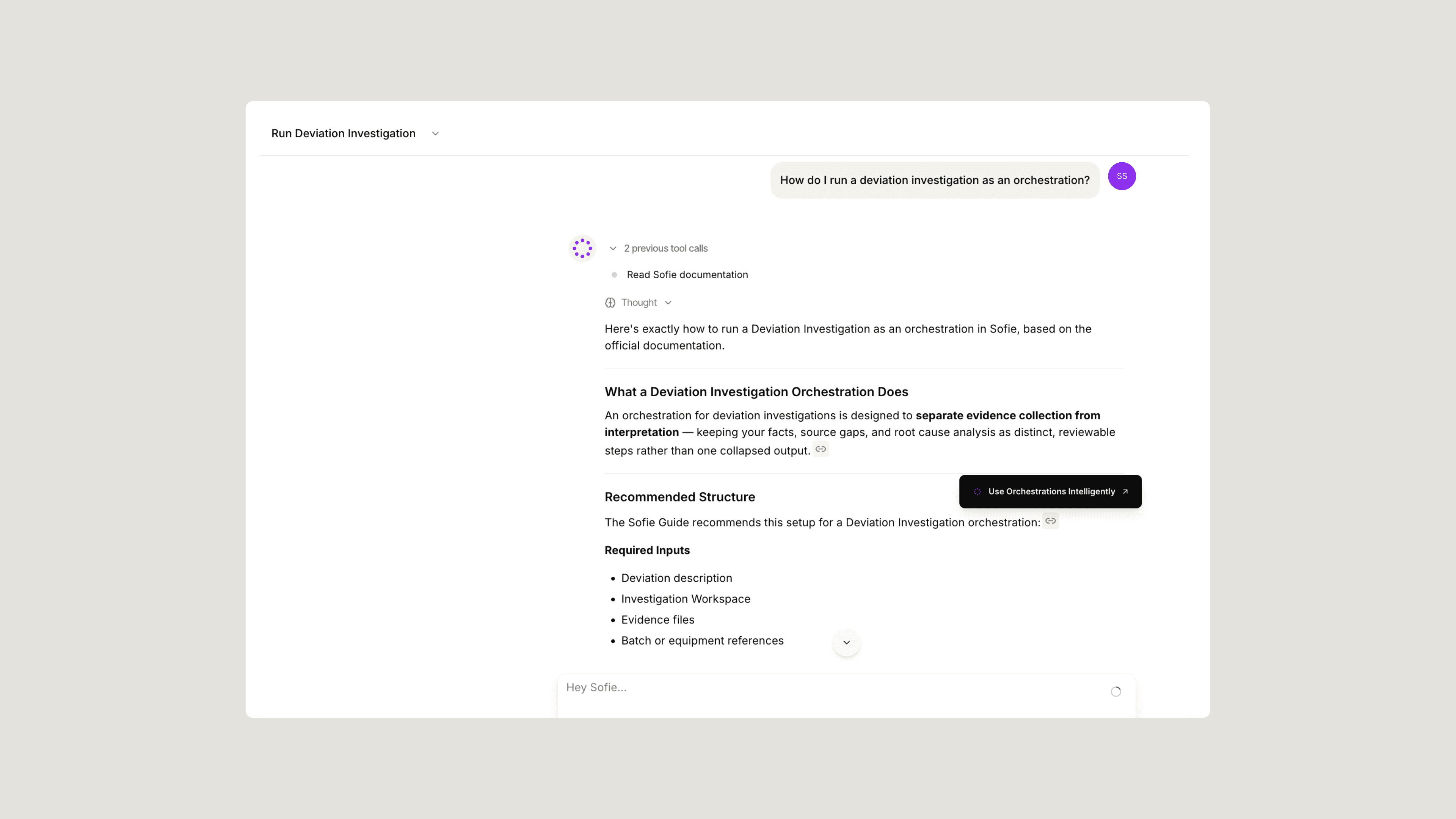
- For QA teams running deviation investigations, it walks through how to define orchestration inputs, build in review points, and configure structured outputs.
- For process engineers new to the platform, it covers how to go from quickstart to a first tech transfer analysis using prompting patterns tailored to scale-up and manufacturing context.
- For regulatory affairs specialists, it details CoDraft template creation, placeholder logic, and how to fill templates from chat or orchestrations.
- For IT admins onboarding a new site, it walks through user management, integration setup, and security configuration in a single organized flow.
Good documentation reduces friction at every stage of adoption. The teams that ramp fastest are the ones that know how to ask Sofie the right questions. Sofie Guide is how we make that knowledge accessible to everyone on your team, regardless of technical background or familiarity.
Bringing Biopharma Specific Guidance with Life Sciences Playbooks
One section of the Sofie Guide deserves particular attention, and that is the life sciences workflow playbooks. These aren't generic how-to pages, we’ve put intention and thought behind these structured guides that connect Sofie's capabilities to the specific workflows that define your technical operations.
The current playbooks cover tech transfer, CAPA, deviations, validation, URS development, batch review, and quality risk assessment. Each one walks through how to set up the right context, what artifacts to create, how to structure the workflow as an orchestration, and what review points to build in. Remember that Sofie Guide has just launched and that as Sofie's capabilities expand and as we learn more from the workflows our users run most often, the playbook library will continue to grow..
How to Access Sofie Guide
Sofie Guide is integrated everywhere you go within Sofie. To access it, you can click the Settings icon directly in the chat window, toggle on the guide, and ask Sofie for help. Even without toggling the guide on, Sofie will often recognize when you're asking for help and surface the relevant guidance.
If there's a workflow your team runs regularly that isn't yet covered by a playbook, or if there's guidance you wish existed, reach out and let us know. The best documentation is written in partnership with the people doing the work.
To see the full breadth of this latest release, you can see our release notes here.
If you want a fresh set of high-impact ideas tailored to your use of Sofie, request a 1:1.
Product announcements
All insights