Turn Biopharma Work into Polished Deliverables with Surfaces in Sofie
You can now leverage Sofie’s intelligence and your institutional knowledge to generate presentations, dashboards, and polished visuals rooted in chat, then present them live, share them as pages, or export them to PowerPoint and PDF.
TransferAI Team8 min read
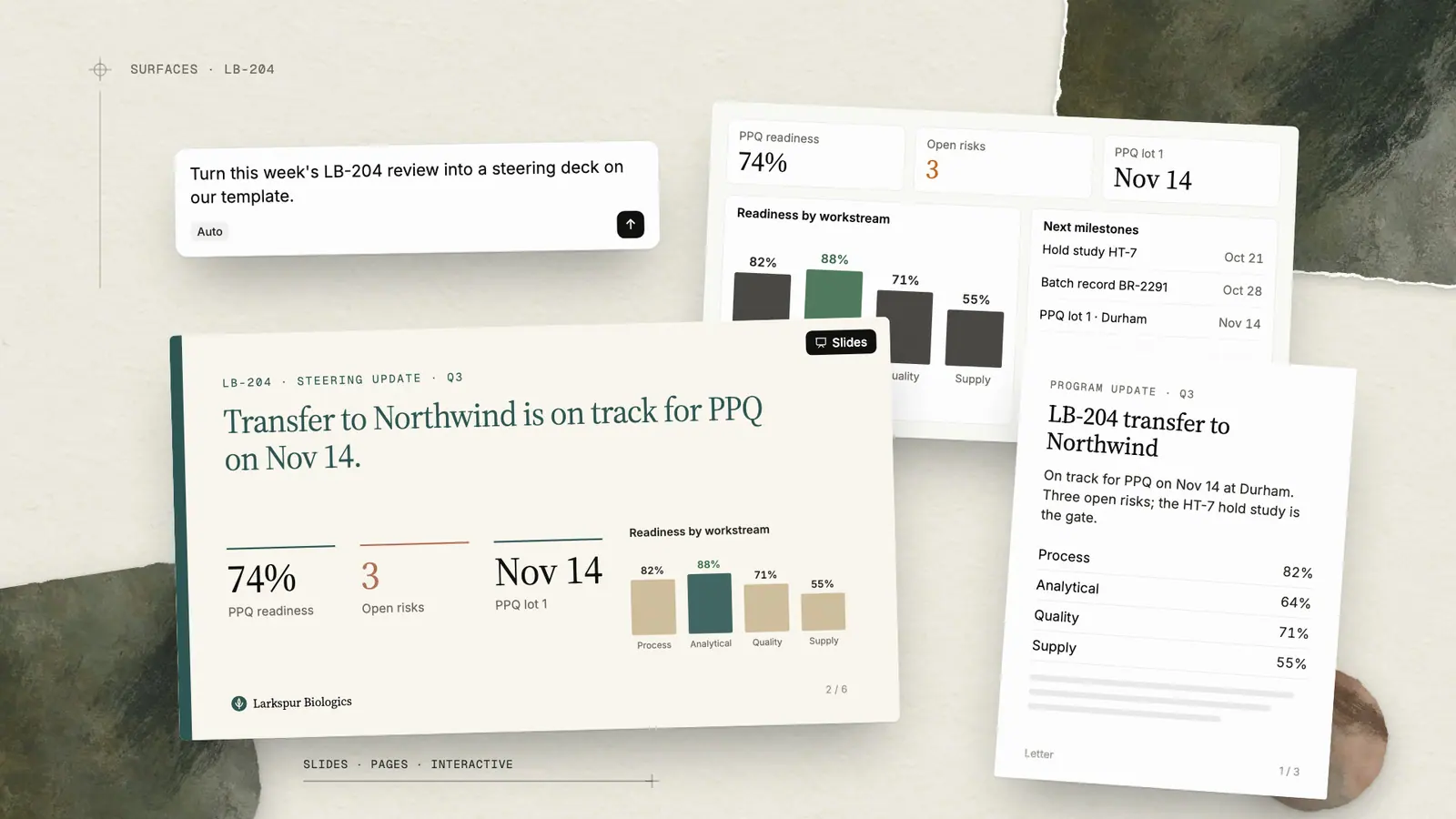
Across life science operations, Sofie is already compressing the analysis and execution side of the work. The step that's still missing is turning that analysis into a thought-through visual when one is needed. We built Surfaces to close the gap. Biopharma teams often need to turn their data into a deck the steering committee expects, a readout that the client needs, or a batch release summary quality leadership has to sign off on. For teams who are managing many projects at a time, that overhead compounds quickly.
Sofie can now turn conversations, analysis, orchestration results, and workspace knowledge into client-ready presentations, dashboards, pages, and visual reports. Build, refine, present, share, or export them without leaving the platform or rebuilding context.
Create Polished Deliverables in Minutes
Sofie's new visualization capabilities are built around how teams create their work, enabling you to leverage the power of chat to build out and refine visual content. Surfaces come in a few formats including dashboards for live, at-a-glance data, pages for scrollable reports and proposals, and slides for polished decks. Combined with Sofie's existing CoDraft and CoSheet functionality, teams can now produce a full suite of deliverables, including documents, spreadsheets, and presentations, across every file type that matters most to project completion.
Some examples of how you can get started with Surfaces:
- Project dashboards and KPIs: Populate a dashboard or status template from connected data, workspace records, an integration, an orchestration, or other sources available to Sofie. Track the metrics that matter most to your team and keep the Surface current as the underlying data changes.
- Data visualization: Turn any dataset, analysis, or chat output into charts, tables, or visual summaries without leaving the conversation.
- Presentations: Build a polished deck from scratch in chat, pulling in context, analysis, existing templates, and connected data for anything from a board update to a client readout. Present it live in full screen or export it to PowerPoint when needed.
- Proposal generation: Draft a client- or leadership-ready proposal populated from your own data and past work, then refine it in the same thread before sharing it.
- Ideation and early drafts: Quickly visualize a concept or rough structure before committing to a final format, so you can iterate on the idea itself first.
How to Build a Surface in Five Steps
Building out a presentation or formatted deliverable used to mean creating a CoDraft or CoSheet to create and refine the content and then transitioning it all to a presentable template in Word or PowerPoint all while tracking versions, changes, and chat history across Sofie and your personal drive.
Sofie now can turn that work into a presentable output, so you can revise in chat, edit directly, and share across your team. Surfaces is purpose-built to keep that connection intact so a presentation, dashboard, or report built in Surfaces stays linked to the chat and data that produced it, from first draft through final export.
Here's how you can build a Surface:
1. Start from wherever you are. Create a Surface from the action button below the main chat window, from the Surfaces page, or directly in any conversation. Choose Slides, Pages, or Interactive to help Sofie focus the structure, layout, and behavior on the experience you want to build. If you start by asking Sofie in chat and do not specify a format, Sofie will ask which type of Surface you want.
You can also revise an existing artifact by uploading a PowerPoint, Word, or Excel file or template and asking Sofie to make updates such as reformatting content, adding slides, or modifying data.
2. Bring in your brand. Upload your company's approved PowerPoint template, logo, and style guide, and new decks built in Surfaces inherit those layouts, fonts, and colors by default.
3. Work side-by-side. Surfaces open in a split pane next to chat, so the conversation and the output stay visible together. Iterate on slide structure, spreadsheet data, or document content directly in Sofie Everywhere. Use the slide navigator and sorter to add, duplicate, reorder, and rename slides.
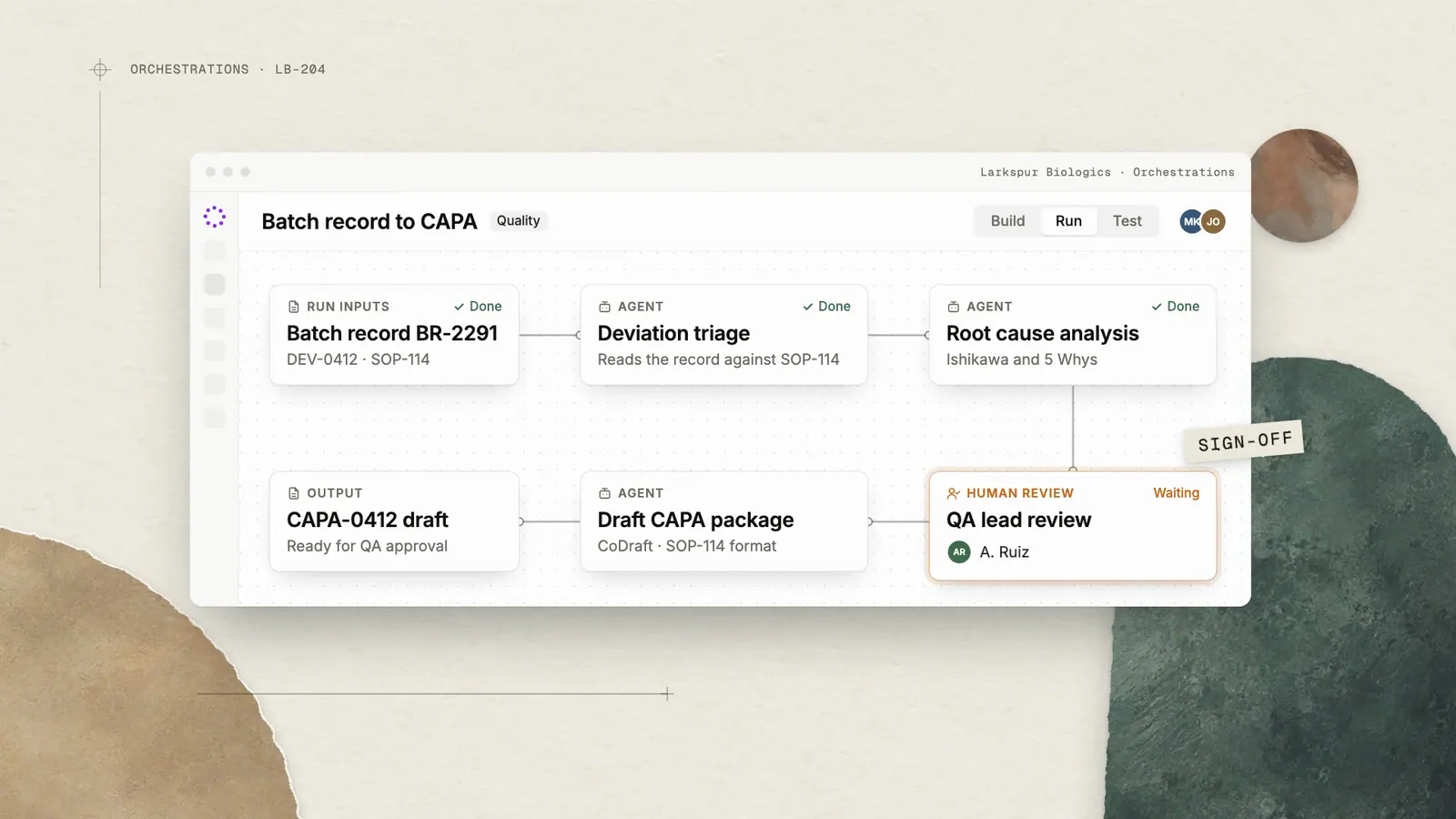
4. Connect it to live data. For recurring artifacts like a weekly batch summary or a tech transfer status deck, connect the Surface to the orchestration producing the data and prompt Sofie to populate the latest data and update any visuals tied to it while preserving the existing structure, and the activity history records the source, time, and resulting changes.If source information is missing or conflicting, Sofie identifies the issue for review rather than silently filling the gap.
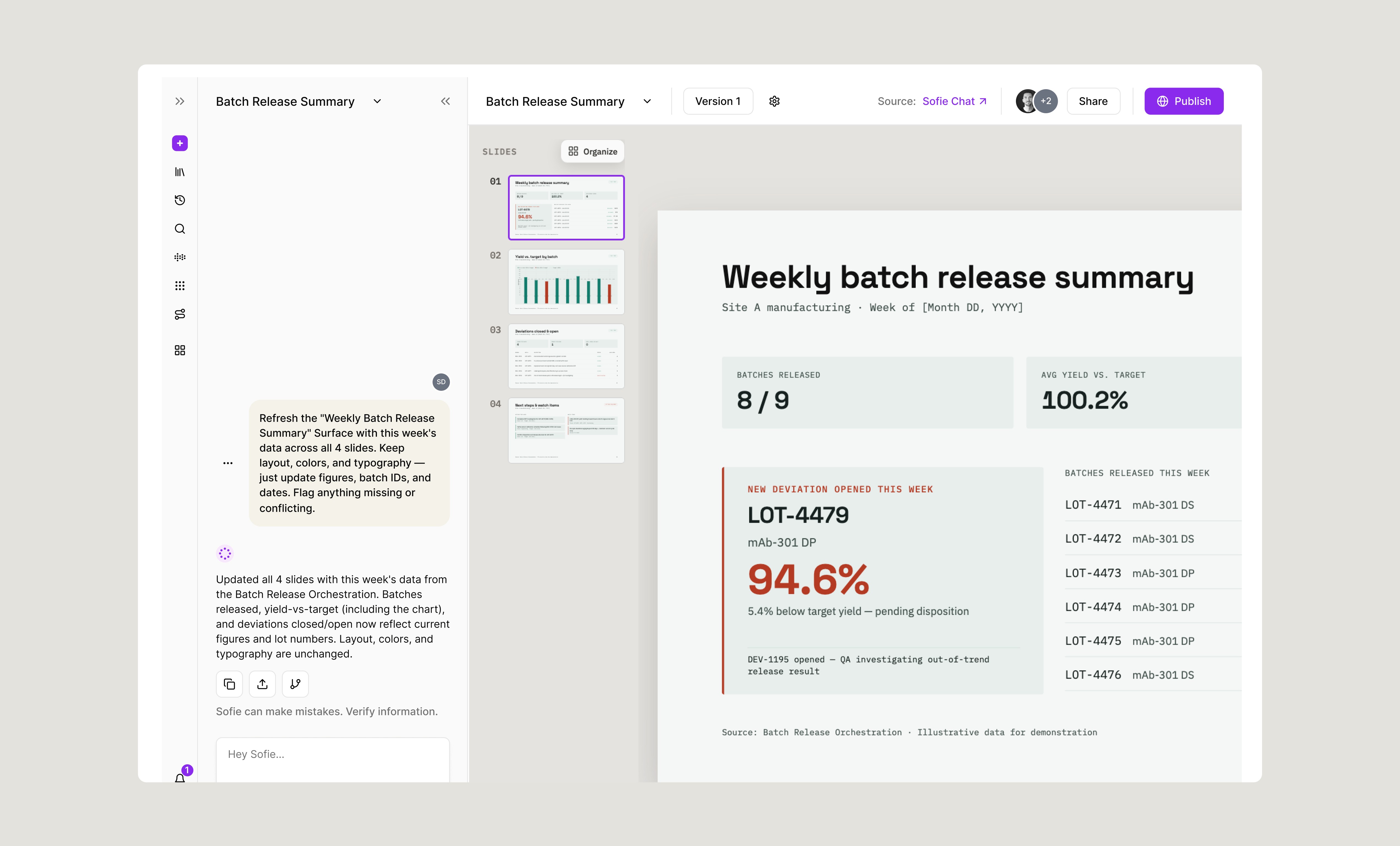
5. Present or export with confidence. Open any Surface in fullscreen for presenting, with section navigation, a progress indicator, and keyboard or remote control. Export to PDF for print-ready reports, or export straight to a native, fully editable PowerPoint file for teams that rely on SharePoint and quality control. Because the structure and data connections carry over, the same Surface can be reused as a template for the next reporting cycle, project, or team
Some specific examples of how to go from chat to deliverable:
- Weekly batch review: Provide Sofie with batch metrics, deviations, and pending dispositions, and it builds a release summary dashboard. Use a prompt like: "Create a weekly batch release summary from the latest Batch Release Orchestration results. Show batches released, pending dispositions, deviations opened, release trend, and actions due this week."
- Tech transfer governance: Give Sofie milestones, risks, and document status, and it builds a steering committee deck. Consider prompting like this: "Build a tech transfer steering committee deck from the latest orchestration output. Show milestone status, open risks, document approval status, and upcoming action items."
- Client project update: Put your project milestones, meeting notes, and deliverable status in a workspace, and Sofie builds a client readout. You can use a prompt like "Build a client readout deck for [CDMO client] using the latest project milestone tracker and this week's meeting notes. Show overall project status, deliverables due, and any items needing client input."
- Quality trend review: Gather deviation, CAPA, and OOS data, and Sofie builds a trend report. Guide Sofie with a prompt like: "Create a deviation and CAPA trend report from this quarter's quality data. Show volume by category, CAPA aging, and recurring root causes."
Sharing and Collaborating with Teammates or Clients
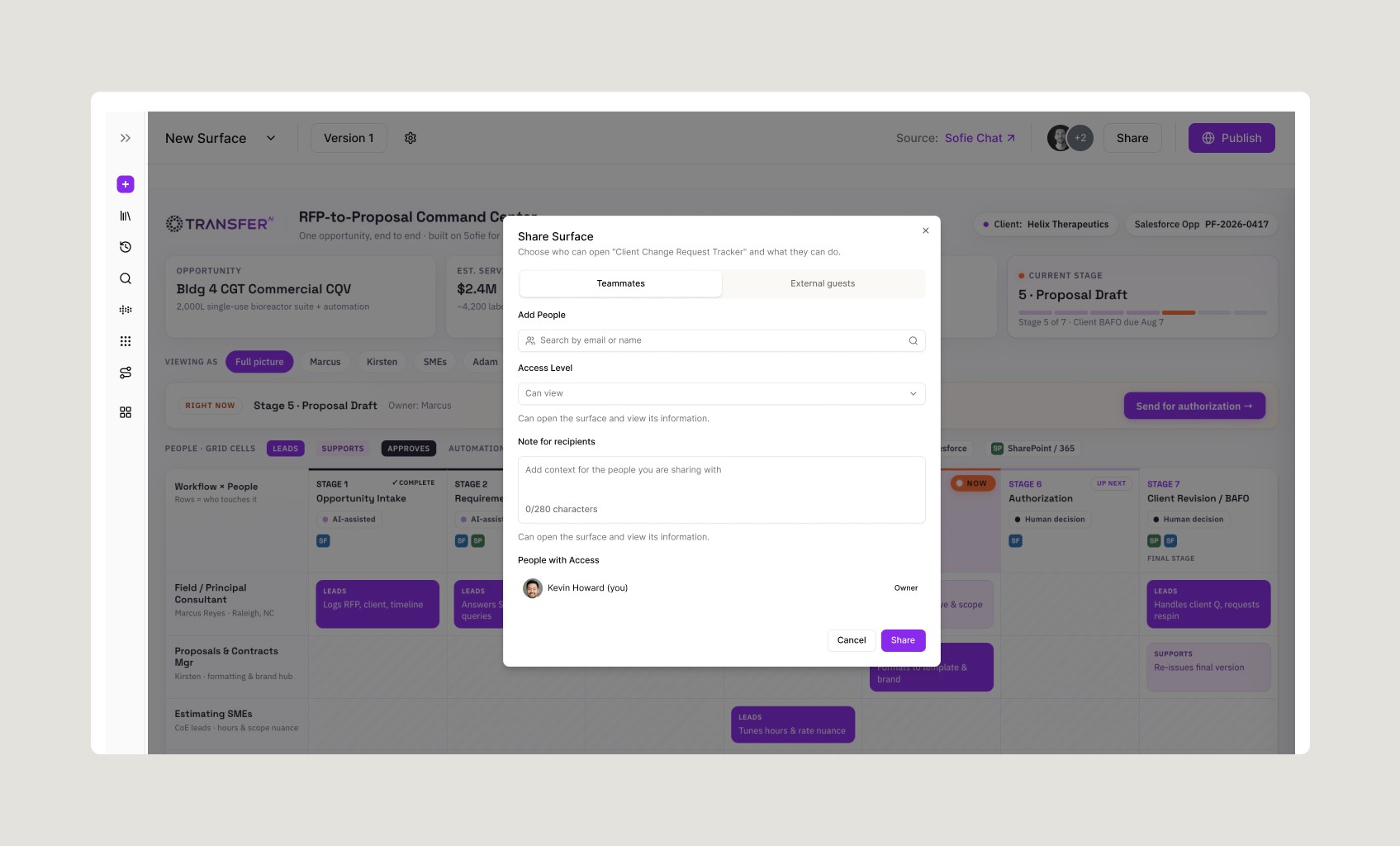
Sharing a Surface with clients is now built for real external workflows, not just internal collaboration. As an owner, you control exactly what each guest can see or edit, and you can apply client branding and preview the guest experience before a link ever goes out, so you know what you're sending is what you intend to send. For external recipients like clients, that means the same proposal or batch summary can be scoped down to only what that client should see, styled with their branding rather than your internal view, and checked from their perspective before the link is live, so nothing gets shared prematurely or out of context. Access isn't fixed once shared, either: you can extend it, renew it, or let guests renew their own links, and returning guests who are already signed into Sofie move through without friction. The result is a client experience that feels deliberate and professional rather than improvised, without adding extra work for you to get there. Sofie makes that decision easy to configure, easy to preview, and easy to trust once it's shared, but the judgment on who should see a proposal, a batch summary, or a client deliverable, and when it's ready for that audience, is still yours.
Review, Refine, and Deliver With Confidence
When using workspace context or source materials to generate a presentation or polished deliverable with Surfaces, Sofie considers any Surface a governed resource with an owner, version and source history, a stable URL, and an access model. Surfaces behave in the same way you’ve come to learn and trust in CoDrafts and CoSheets.
Before exporting, you can audit your output and verify source documents, work with Sofie to make any changes, and ensure context is valid and up-to-date so you can deliver with confidence. While Sofie prepares the structure, content, and visual, Surfaces relies on users to review the source data, interpretation, calculations, and final presentation before sharing or exporting. Surfaces support review and traceability, but your QA, regulatory, and business expertise is what determines when something is ready for approval. For recurring work, the review sequence is straightforward: refresh the connected source, review updated metrics and visuals, investigate any flagged changes, confirm the content is fit for its intended audience, and then share or export the approved version.
A breakdown of the full audit trail that is tied to any Surface:
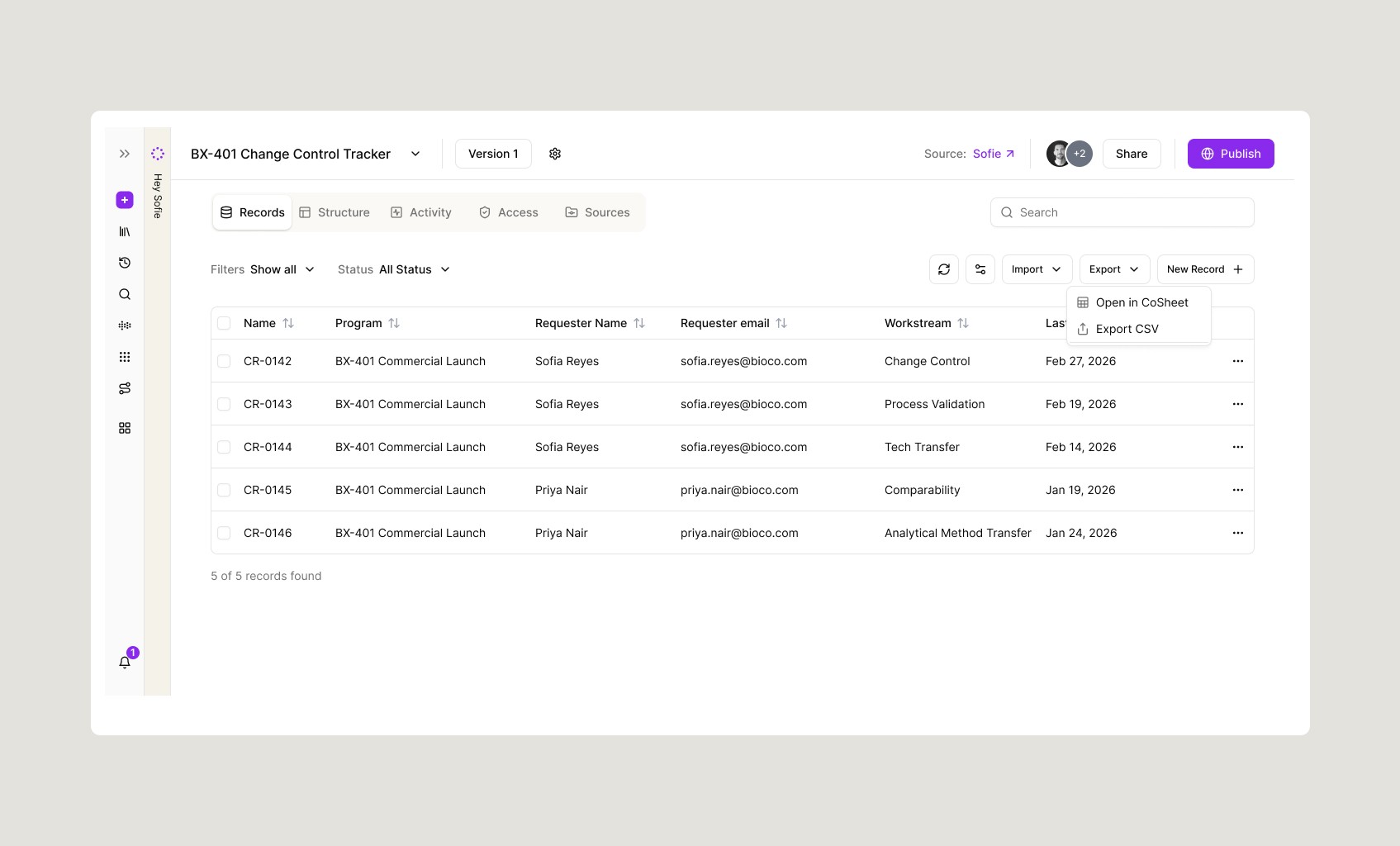
Every Surface keeps a log of source history and activity. Together, they help users distinguish a change in the source data from a change made directly to the deliverable.
- Versioning: every Surface maintains a version history as it's edited. Changes are saved as a new version number, and each Surface carries a status — Draft while it's being built or revised, or Promote to live once it's finalized and shared. Users can move between versions to see what changed and when, with each version tied back to the data entries that created it. Any output built with Surfaces can also be shared and versioned within your personal or team workspaces on Sofie.
- Structure: the schema behind the data: the fields each record has (e.g., Method Name, Status, Owner, Due Date), their types, and how record types relate to each other.
- Records: the individual rows of data behind the Surface, like rows in a spreadsheet or database. Records can be created directly, imported from a CoSheet, or opened back in CoSheet for editing.
- Activity: revisions made by any user directly are tracked with the same attribution as source history. If a teammate updates a slide, chart, or figure directly, that change is attributed to them, keeping a running record of who changed what and when, alongside Sofie's own contributions for a comprehensive audit trail.
- Sources: the connected inputs feeding the Surface, such as an orchestration run, an imported CoSheet, a linked document, or an external integration.
With Sofie, the path from everyday work to finished deliverable is no longer fragmented; it's faster, more connected, and built for how biopharma tech ops teams actually work.
If you're already using Sofie, ask us about turning your next recurring readout into a Surface. If you're new to Sofie and want to see Surfaces in action, request a 1:1. Surfaces is now available in beta within Sofie.
Product announcements
All insights