The Transfer: July 2026
Welcome back to The Transfer. This month's release is headlined by our newest feature, redlining, which enables more collaborative and traceable work within Sofie. Alongside that we are introducing live activity tracking, cleaner designs for templates, tags that replace categories, and more intuitive design components throughout Sofie to ease your interactions. Here’s what’s new.

TransferAI Team
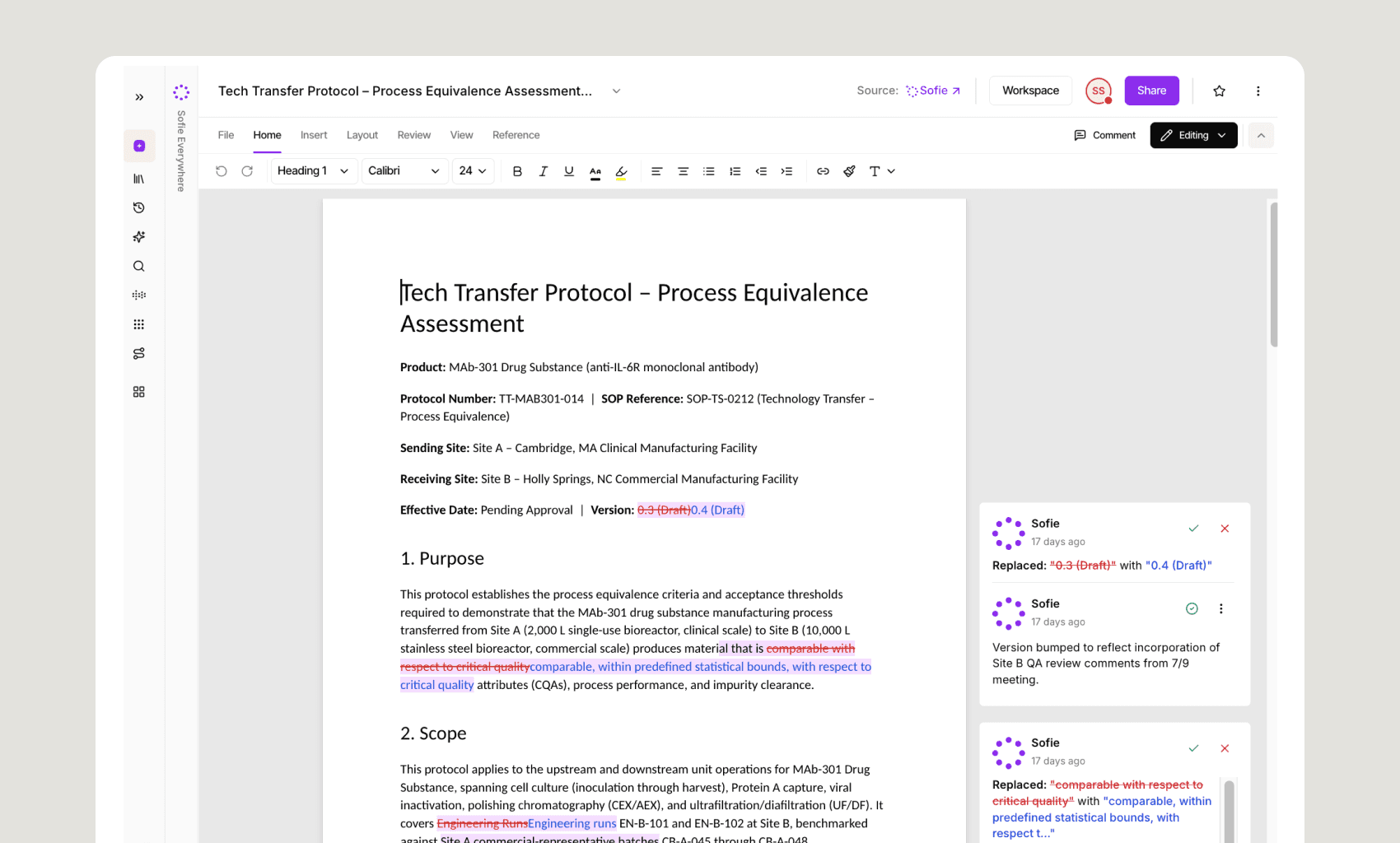
Draft and Review with Redlining
Automatically detect and extract redlines from uploaded PDFs, reducing manual effort and improving accuracy during document reviews. Learn more →
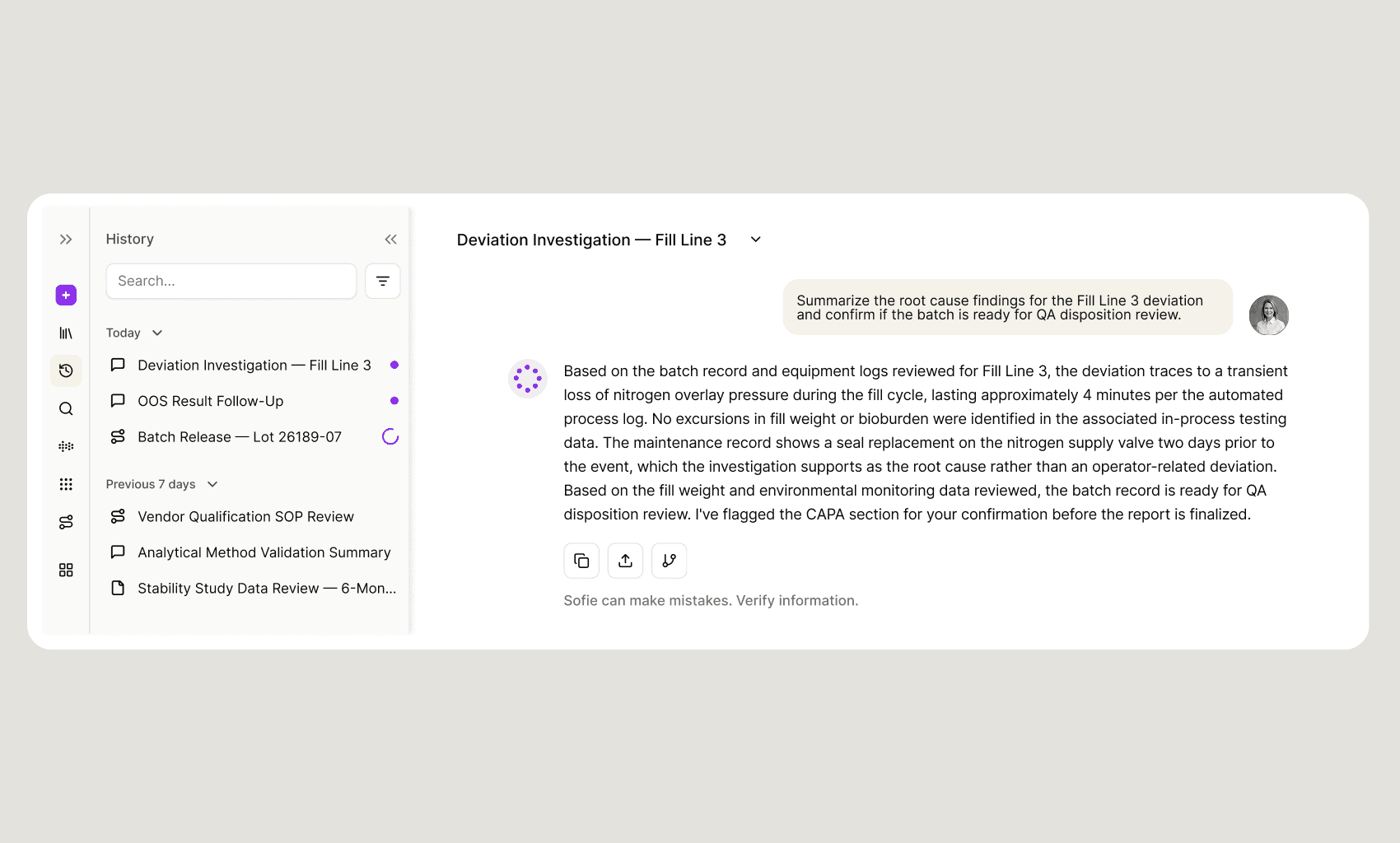
Multi-task with Live Activity
Live activity indicators in the main navigation bar show progress on orchestrations, drafts, and chats as Sofie works, so you can keep working elsewhere and circle back when they're done.
The Latest LLM Models are Now Available
We have integrated the latest leading large language models into Sofie from OpenAI and xAI, giving users the flexibility to match the right AI capability to the way they work. We've already seen greater understanding, stronger long-context reasoning, and faster interactions.
Sol 5.6 — Best for complex, multi-step reasoning and long-form technical drafting.
Terra 5.6 — Ideal for multimodal analysis and high-volume document synthesis across large context windows.
Luna 5.6 — Best for fast, high-volume everyday reasoning tasks.
Grok 4.5 — Strong at agentic, tool-heavy workflows that pull data across multiple systems (LIMS, QMS, ERP) and reconcile it in a single pass.
New Sourcing and Tooltips in Chat
We reformatted the sourcing links at the bottom of chat responses so they're more visible, making it easier to trace an answer back to its source and supporting auditability.
New Feedback Form in Sofie
Sofie's new feedback form integration gives you an updated way to submit feedback directly to our team, so upcoming releases reflect your requests and address the issues you encounter.
Work with More Flexibility in Artifacts
Get more flexibility in artifacts with additional features that improve your experience and streamline how you transition through phases of your work across Sofie.
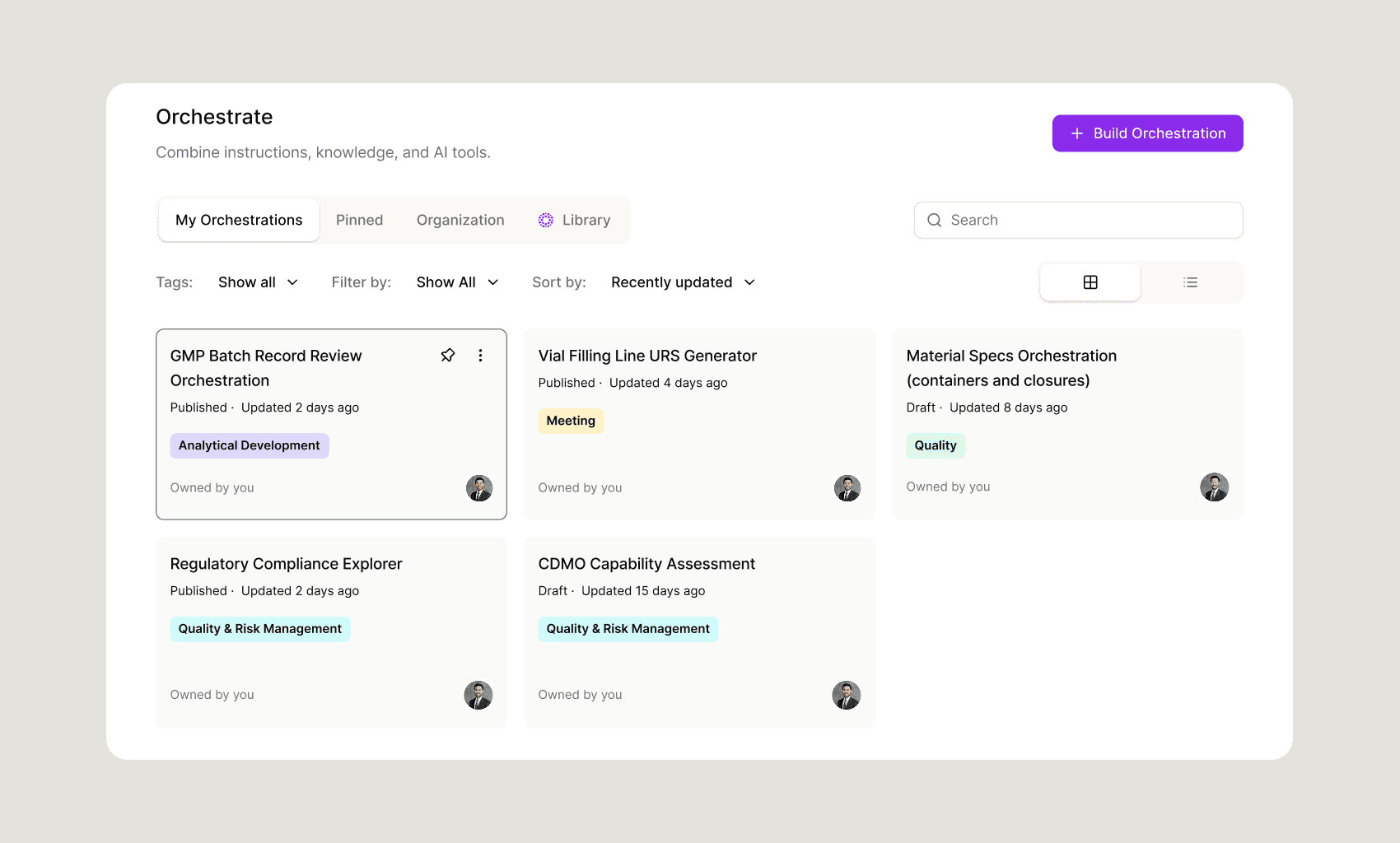
Better Organization with Tagging
Execute with confidence across sources and workspaces with new tagging functionality for better project management. Ensure quality tagging with configurable tags for your preferred way of working so you can get to what you need easily. Tags are personal to you, even for organization-wide artifacts, so you can apply tags in a way that feels intuitive to you.
Sort and search for templates, orchestrations, CoDrafts, files, and CoMeetings by tag.
Apply multiple tags to any one artifact to organize your work your way.
With our new tagging system, statuses like published, unpublished, shared, and not shared are now plain text labels for cleaner visual hierarchy.
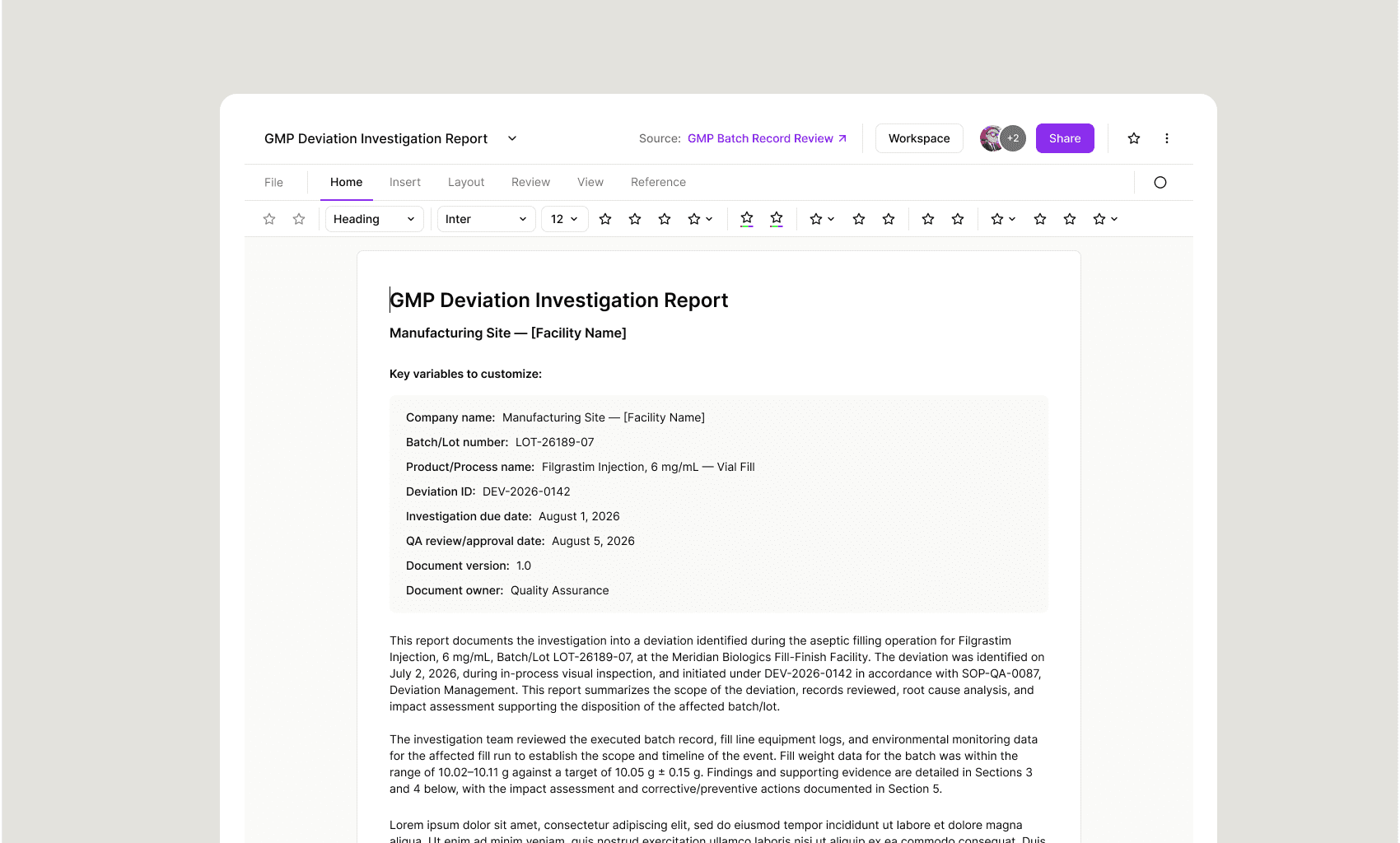
Return to the Source of an Artifact with Source Linking
Track sourcing more easily with a new source label that surfaces the origination point of each artifact, whether it was generated from a template, produced by an orchestration, started in chat, or created manually.
Better Chat Control with New Chat Indicators
See a pulsing three-dot activity indicator while Sofie is still generating a response, so you always know when work is still in progress. The stop button also has a stronger, filled style, making it easy to find when you need to interrupt a response.
Better Visibility with New Date and Time Columns
See relative timestamps for recent activity, with exact time on hover, on any artifact page or in any workspace. CoMeeting maintains its date-plus-time column where time is the central context.
Consistent Tables Across Sofie
Manage tables more efficiently with new consistent column labels, header styles, and hover actions that behave the same way from anywhere inside of Sofie. Hide or show columns, and preferences persist independently by view.
Table-Based Template Fields in CoDraft
Define repeating row structures directly in your CoDraft templates. Table-type fields now render as real tables, not as markdown approximations or raw HTML, whether a template is imported, filled manually, or populated by an orchestration.
Branding in Organizational Settings
Organizations can now configure their brand identity directly in organizational settings, with initial support for logo, color, and font customization across Sofie.
Greater Flexibility with CoMeeting
Get cleaner CoMeetings with cleaner transcripts, better formatting, and greater flexibility to start, pause, and stop your recordings.
Keep Working with Sofie While Your Meeting Records
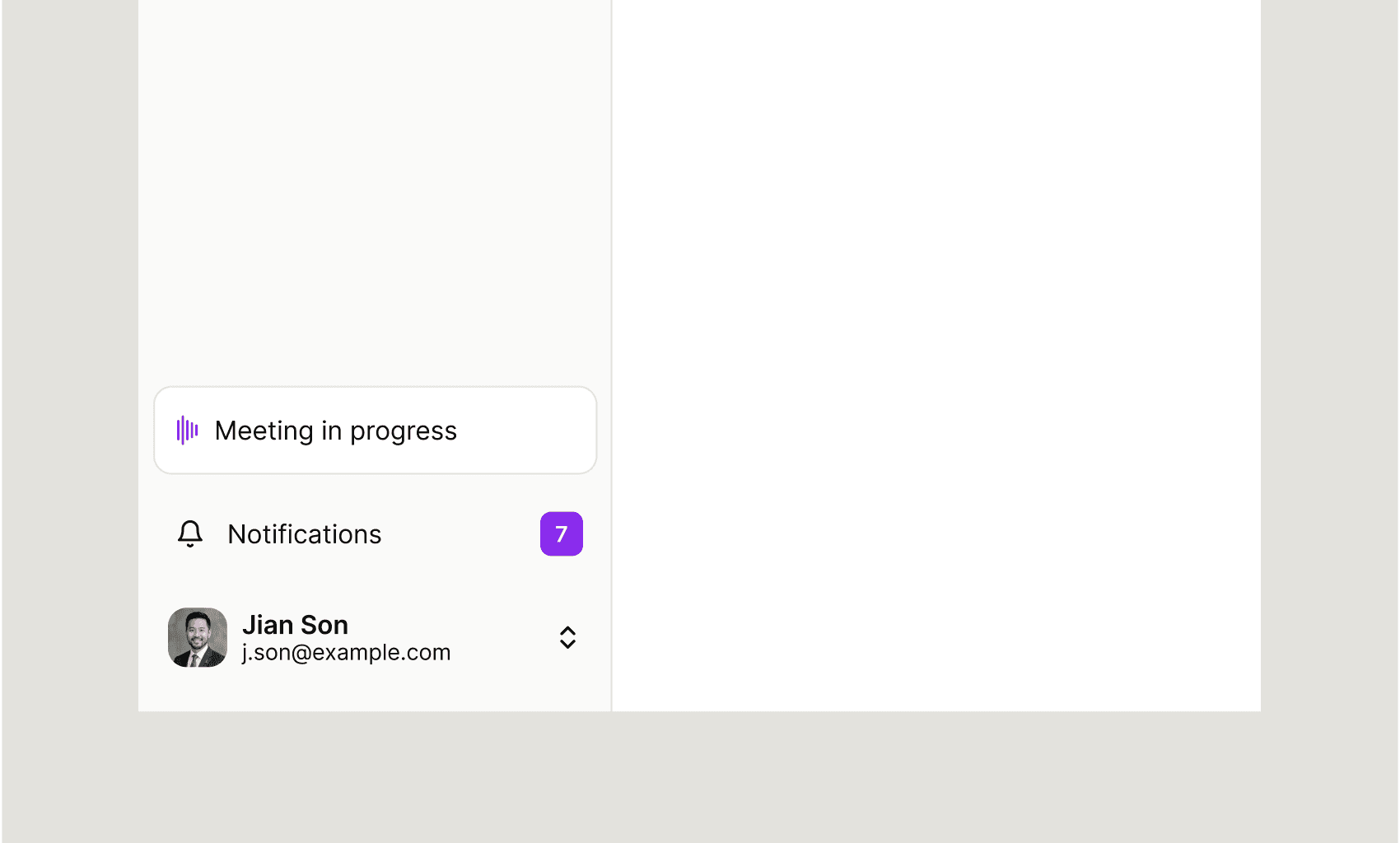
Get greater control in meeting transcription with a persistent recording that doesn’t stop when you navigate to another page in Sofie. A “meeting in progress” indicator now lives in the navigation sidebar so you know it’s recording but you don’t have to stay on the CoMeeting page.
Improved Formatting with Meeting Types
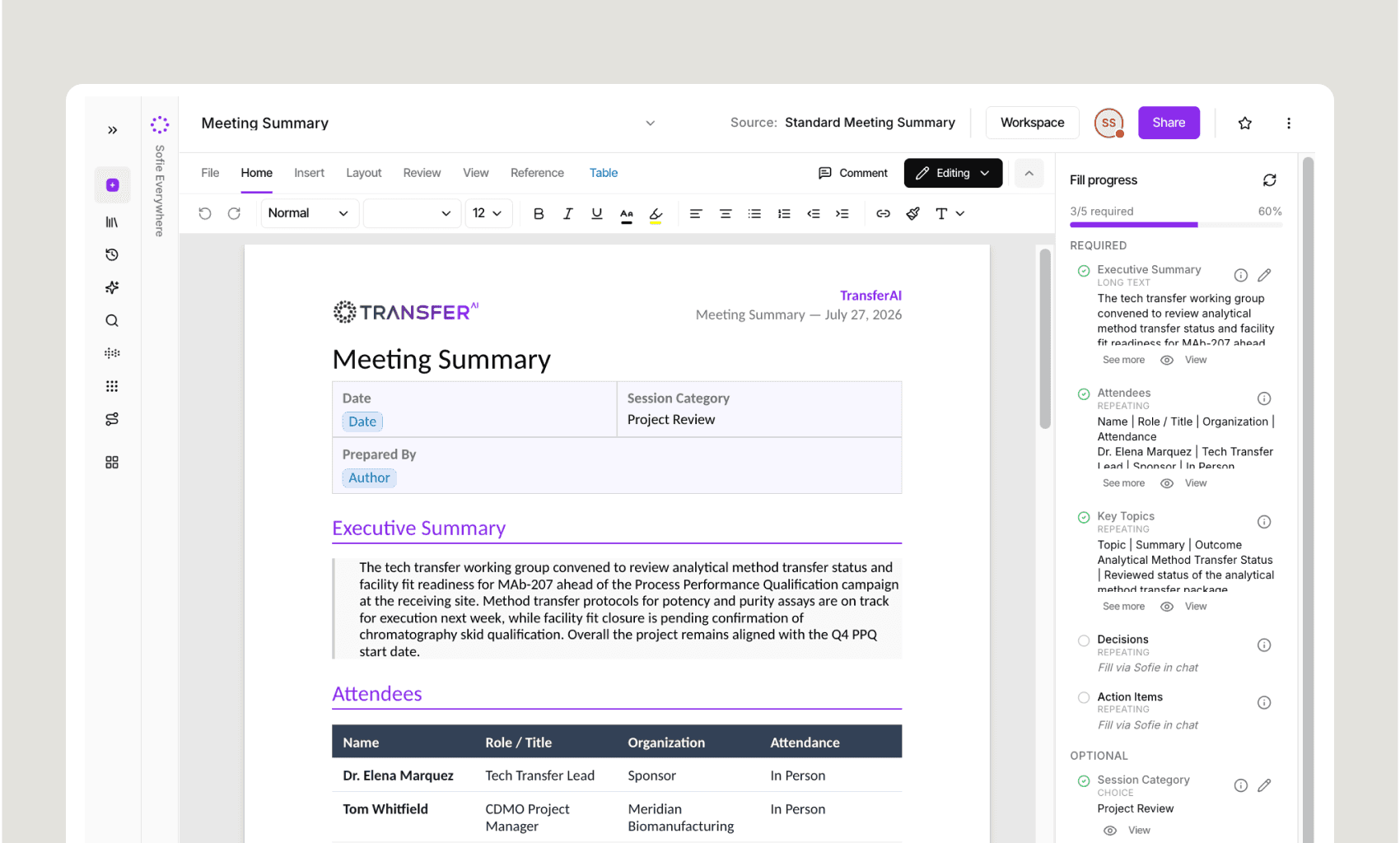
Tailor your meeting outputs with meeting types and templates directly inside of CoMeeting. Meeting types tell Sofie how to structure and format your summary and notes based on the kind of meeting you're having, so the output matches how you'll actually use it.
Cleaner, Intuitive Layout
The CoMeeting interface is cleaner — fewer top-level controls, a metadata dropdown for secondary settings, and the transcript in a fixed, collapsible panel on the right. After a meeting ends, summary and notes move to the front. Share, pause, mute, meeting type, and microphone settings are all accessible in the redesigned control hierarchy, with meeting type set before the summary generates.
Do More in Templates
Streamline drafting and tailor templates to reflect how your team works with better formatting and expanded editing capabilities.
Bigger, Better Field-Level Instructions
Add special instructions at the field level with more room to work. AI instructions and help text fields are now larger and easier to use, so you can leave detailed, field-specific guidance exactly where it's needed.
Progressive Template Filling Now Lives in CoDraft
Start a template, save your progress, and pick up right where you left off right from CoDraft. Previously, working on an in-progress template meant going back to Templates to see its Draft status. Now the in-progress version lives directly in CoDraft, so filling out a template feels like a progressive drafting state.
What This Means
Every change in this release removes a step, adds visibility, or makes an artifact easier to trust. Redlining, feedback via Linear, and structured template fields cut manual work out of document review, product feedback, and CoDraft templates. Live activity indicators, chat indicators, and CoMeeting's persistent recording keep you informed on long-running work without requiring you to wait or stay on one page. Tagging, source linking, and consistent tables make it easier to organize, trace, and manage artifacts across Sofie. The goal is a Sofie that gets out of your way and keeps earning your trust, build by build.
That's all for July. Try one of these features today or reach out to your TransferAI team to learn more.